
Pricing & Packaging
Free Design Rate Card Template
Build a pricing reference for your design services. Start with an editable Excel workbook, hourly and project examples, retainer calculations, and a three-page sample PDF.
Updated
Download the spreadsheet and PDF
No signup or email required. All prices are illustrative USD examples to replace with your own rates.
Open the .xlsx in Excel or import it into Google Sheets. The PDF is a static sample.
See what you're downloading
These previews come from the actual files above. Open either image to see it at full size.
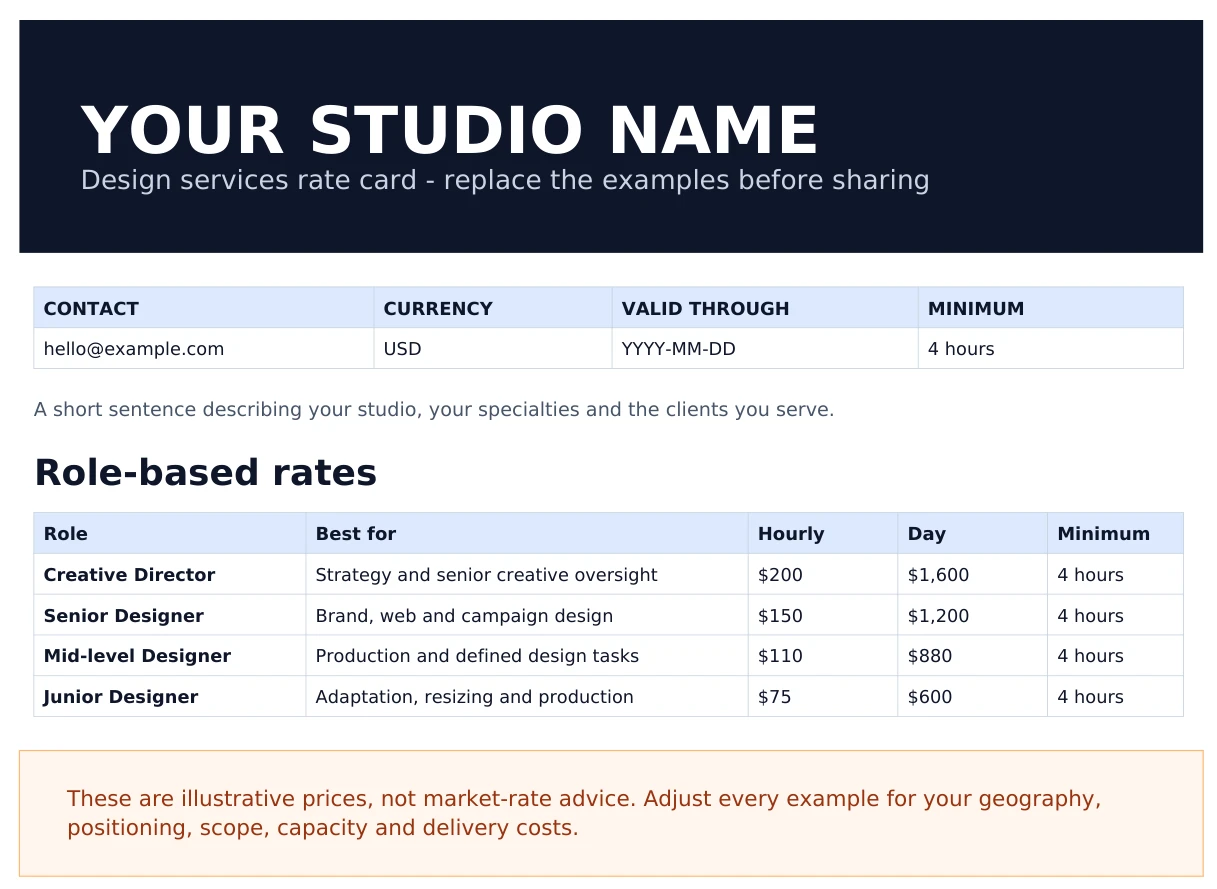

Customize the workbook in five steps
- Read Start Here. It explains the sheets and the yellow input cells and green formula cells.
- Edit Client Rate Card. Replace the studio name, contact details, currency, services and sample project ranges.
- Update Rate Calculator. Set hourly rates, hours per day and optional discounts. For example, $150 × 8 hours = $1,200 per day with no discount.
- Check Internal Pricing and Terms. Review your estimated costs and margin privately, then adapt the payment schedule, revision limits and scope-change wording.
- Export the client-facing sheets. Export only Client Rate Card and Terms as a PDF. Keep Internal Pricing and Rate Calculator private when sharing with clients.
The supplied PDF does not update when you edit the workbook. Export a new PDF after customization. For help choosing a pricing model, read the design rate card examples and pricing guide.
Three pricing models in the template
These examples match the downloads. They show the structure of a rate card, not a recommended price for your business.
Hourly work
The Senior Designer example is $150/hour, or $1,200 for an eight-hour day. Use hourly pricing when the volume of work is uncertain. State the billing unit and minimum engagement.
Fixed project scope
The Landing Page Design example is $3,500–$6,000 for desktop and mobile designs, with two revision rounds. Development is excluded. Confirm the exact deliverables and fee in the project proposal.
Monthly retainers
The Starter example is 20 hours for $2,790/month: 20 × $150 with a 7% discount. Discounts are optional. Agree the allowance, overage pricing and unused-hour rules before work starts.
Use an agreed hourly rate on a real project
Set the project bill rate in Corcava, record the work, and generate invoice lines for the chosen client, project and date range. These real app screenshots use fictional demo records. This separate example uses a $75/hour bill rate.
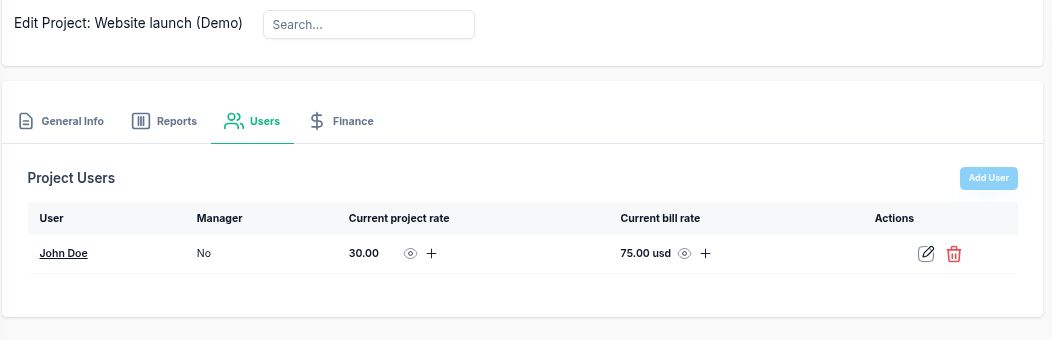
The demo records 3 hours 30 minutes for homepage layout and 2 hours 15 minutes for responsive implementation. 5.75 hours × $75 = $431.25. Review the generated lines before saving the invoice.
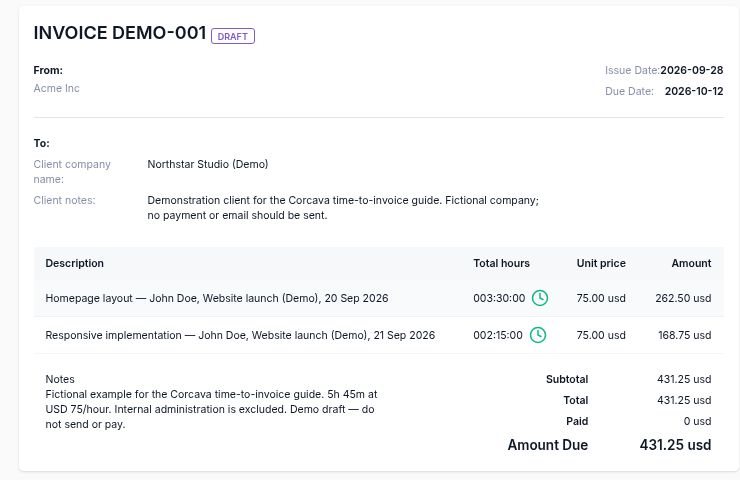
Follow the complete example to see the line-item preview and how internal administration time is excluded. For fixed project fees, invoice the agreed deliverables or milestones and use time records to review delivery cost.
Frequently asked questions
Can I use the workbook in Google Sheets?
Yes. Download the .xlsx file and import it into Google Sheets, or open it in Excel. Review the example inputs and calculated prices before sharing.
Which sheets should I send to a client?
Export only Client Rate Card and Terms as a PDF after customization. Keep Internal Pricing and Rate Calculator private. The supplied sample PDF does not update when you edit the workbook.
Are the example prices recommended market rates?
No. They are illustrative USD examples. Set your prices using your own costs, billable capacity, positioning and project scope.
What's the difference between a rate card and a proposal?
A rate card lists reference prices across services. A proposal confirms a particular project's scope, deliverables, timeline and fee.
Plan the work behind the price
- Scope of work template: confirm deliverables, responsibilities and exclusions.
- Change request template: agree additional scope and cost.
- Billable utilization calculator: model the capacity behind your hourly rate.
- Retainer tracker: record the allowance and work delivered.
- Creative brief template: gather the inputs needed for a useful estimate.