
Crypto invoicing
Send the invoice.
Let clients pay in crypto.
Create a client invoice, offer the configured crypto checkout and track confirmed payments against the invoice balance. Keep payment instructions and the work you delivered in one place.
Start with the invoice, then choose the payment route.
Create the invoice
Add the client, delivered work, invoice currency and due date. Keep the amount owed clear even when the payment asset is different.
Share eligible checkout
Crypto checkout appears when the workspace integration, client settings and invoice eligibility allow it. The selected route supplies payment instructions.
Track the payment
Check the confirmed receipt and invoice balance. A pending checkout or unconfirmed transfer is not a completed invoice payment.
Configured ways to receive crypto.
| Incoming payment path | How it works | What determines availability |
|---|---|---|
| Hosted checkout | ATLOS or PassimPay provides the client’s payment instructions. | Your provider configuration, eligible invoice, supported assets and networks, current quote and fees. |
| Direct USDT checkout | TronLink checkout for USDT on TRON, where enabled and configured. | USD invoices and their full outstanding balance. The payer covers network fees separately. |
| Exchange receiving | Receive into a connected Binance, Bybit or OKX account, then check and explicitly match the credited deposit to the invoice. | Eligible USD invoices, supported asset/network pairs and the exchange's deposit rules. The invoice explicitly agrees one token per USD. |
Follow the amount and network shown by the selected checkout. Hosted-provider quotes and fees can differ; do not assume an invoice in USD always means the same numerical amount of a crypto asset.
Receive invoice payments in nine stablecoins.
With a connected Binance, Bybit or OKX account, eligible USD invoices can use USDT on TRON (TRC-20) or Ethereum (ERC-20); USDC, DAI, FDUSD, PYUSD, USDP, TUSD, RLUSD and USD1 on Ethereum (ERC-20). The invoice states the agreed one-token-per-USD settlement amount.
Each exchange determines availability for your account and region, including deposit minimums and network restrictions. Your team verifies and explicitly matches the credited deposit to the invoice. Hosted checkout uses the provider's own coin list; direct TronLink checkout uses USDT on TRON.
See the stablecoin payment workflowGive the client a clear route to payment.
- Configure your incoming provider, exchange receiving account or enabled direct checkout for the workspace.
- Check the client’s crypto payment setting and the invoice status and outstanding balance.
- Share the invoice’s public payment link. The client follows the current checkout amount, asset and network.
- Review the confirmed payment record and the remaining invoice balance. Investigate receipts that need review before recording another payment.
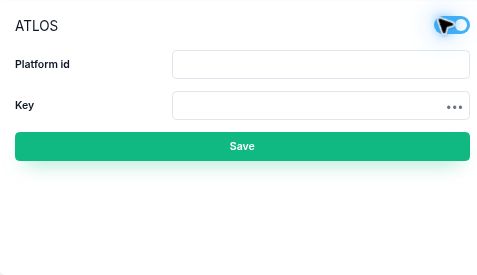
Follow the ATLOS setup and invoice walkthrough for the detailed steps and real product screenshots.
Using an exchange account? The Binance invoice receiving walkthrough follows a real USDT payment from published instructions to a credited deposit, explicit matching and the public Paid status.
Separate what was paid from what was allocated.
An invoice total, the crypto asset received and a provider fee can use different units. Keep the provider reference and transaction details alongside the amount recorded against the invoice.
Transactions shows money movements known to Corcava and their invoice links. It does not replace the provider’s complete account history. A receipt awaiting matching or review should be investigated against its provider record and invoice balance.
Prepare the invoice before sharing checkout.
Free crypto invoice template includes a blank PDF, editable file and a filled example. Use it to check invoice totals, asset, network, fees and payment references before sending instructions.
For a standalone payment request, try the free crypto invoice generator. Add your wallet QR, copy payment instructions and print a PDF without an account.
Billing an existing client for freelance work? How to get paid in crypto as a freelancer covers the agreement, receiving route and confirmed invoice record.
Comparing payment costs? Compare Stripe and crypto invoice payment fees with explicit assumptions and your actual quotes.
Questions before you start
Which cryptocurrencies can clients use?
Exchange receiving supports USDT on TRON (TRC-20) or Ethereum (ERC-20); USDC, DAI, FDUSD, PYUSD, USDP, TUSD, RLUSD and USD1 on Ethereum (ERC-20), subject to account and deposit availability. BTC, ETH and other hosted-checkout choices depend on your configured provider. Configured direct checkout uses USDT on TRON.
Does a USD invoice become a USDT invoice?
The invoice currency and payment asset are separate. Follow the hosted provider’s quote or the specific configured direct checkout instructions.
Are crypto fees always lower than card fees?
No. Compare processing, network, currency conversion and withdrawal costs for the same invoice and final settlement currency. Use the current account-specific quotes.
Can I use Binance, Bybit or OKX to accept client invoice payments here?
Yes. Eligible invoices can publish receiving instructions from a connected Binance, Bybit or OKX account. The company checks the exchange deposit and explicitly matches the credited receipt; submitting a transaction hash alone does not mark the invoice paid. Follow the Binance invoice receiving walkthrough for the steps.
Can I also pay contractors in crypto?
Yes, through the separate individual contractor-invoice payout flow. Crypto contractor payments explains approval, supported stablecoins and exchange connections.
Keep client payments and contractor payouts connected to the work.
Explore the combined agency workflow, or start with a client invoice and configure the checkout that fits your workspace.