
MCP Integration
Connect your AI assistant to Corcava using Model Context Protocol (MCP). Let AI help manage your projects, tasks, and time tracking through natural conversation.
No credit card required
Works with:Claude DesktopCursorWindsurfContinue
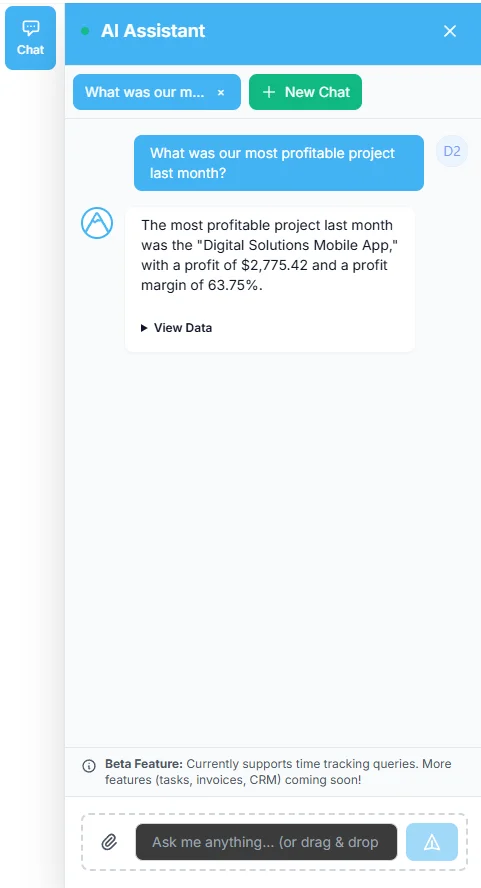
How do I use MCP Integration?
Connect your AI assistant to Corcava and let it help you work more efficiently.
📖
Read Your Project Context
- ✓AI can read task details, comments, and project information
- ✓Get full context about boards, columns, and project structure
- ✓Search and filter tasks across all your projects
⚡
Take Actions Through Conversation
- ✓Create and update tasks through natural language
- ✓Start and stop time tracking with voice commands
- ✓Add comments and update task status
How MCP Integration Will Help My Business
⚡
Faster Workflow
- →No more switching between apps - ask your AI directly
- ✓Create tasks and track time without leaving your AI assistant
🔗
Direct Integration
- →AI connects directly to your Corcava workspace
- ✓Secure API key authentication scoped to your team
Try Corcava free for 14 days
Connect your AI assistant to Corcava and supercharge your productivity
No credit card required