
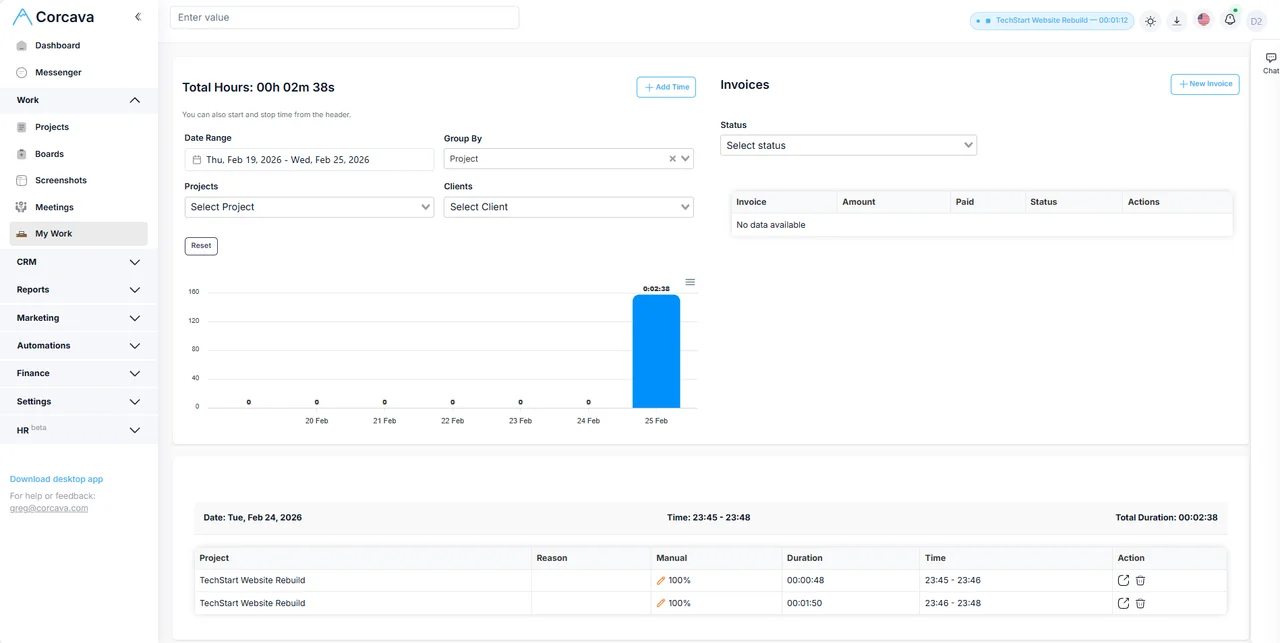
Track time in the browser
Not every billable hour starts in the desktop app. Corcava includes a header timer in the web app so consultants and remote teams can start and stop time against a project and task from the browser.
- →Browser — one-click timer in the Corcava web header (no screenshot capture on web-only tracking)
- →Desktop & mobile — apps for automatic/background tracking where installed
- →Project + task context — assign entries to the appropriate project and optional task for reporting and invoice review
- →Downstream — review recorded time in reports, invoicing, and check linked invoices and expenses in Project Finances
Optional screenshot monitoring applies to desktop tracking policies — not the browser header timer. See employee monitoring for screenshot-based workflows.
Weekly target hours (optional)
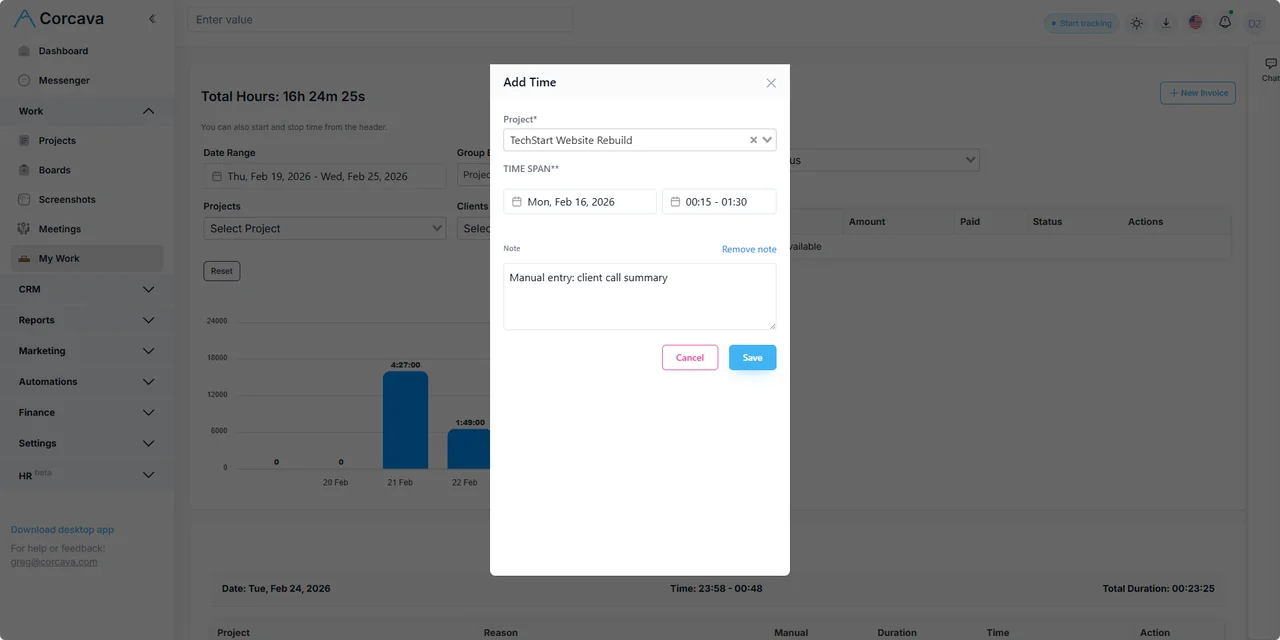
Managers can set an optional weekly hour target per team member (Monday–Sunday). Progress appears in time reports — it tracks recorded effort against a goal, not future capacity planning or resource forecasting.
Clients do not see targets. For manager-facing drilldowns, see reporting.
How do I use Time Tracking for my Team?
Powerful time tracking with complete transparency and control.
Automatic Tracking
Track time automatically in the background without manual start/stop buttons disrupting your workflow.
Time Corrections
Move tracked time between projects when mistakes happen. Every correction is logged with a complete audit trail for transparency.
Audit Logging
Immutable audit trail tracks every time movement with user, timestamp, reason, and IP address for compliance and fraud prevention.
Granular Permissions
Company-level and user-level controls let you define who can add manual time and move time between projects.
Detailed Reports
Generate comprehensive time reports including Time Movement Log for complete visibility into all corrections across your team.
Screenshots & Activity
Optional screenshots and activity monitoring ensure accurate time tracking for remote teams.
AI Employee Monitoring
Ask questions about captured screenshots, read AI analysis, and inspect the work—without scrolling through every image.
Project Integration
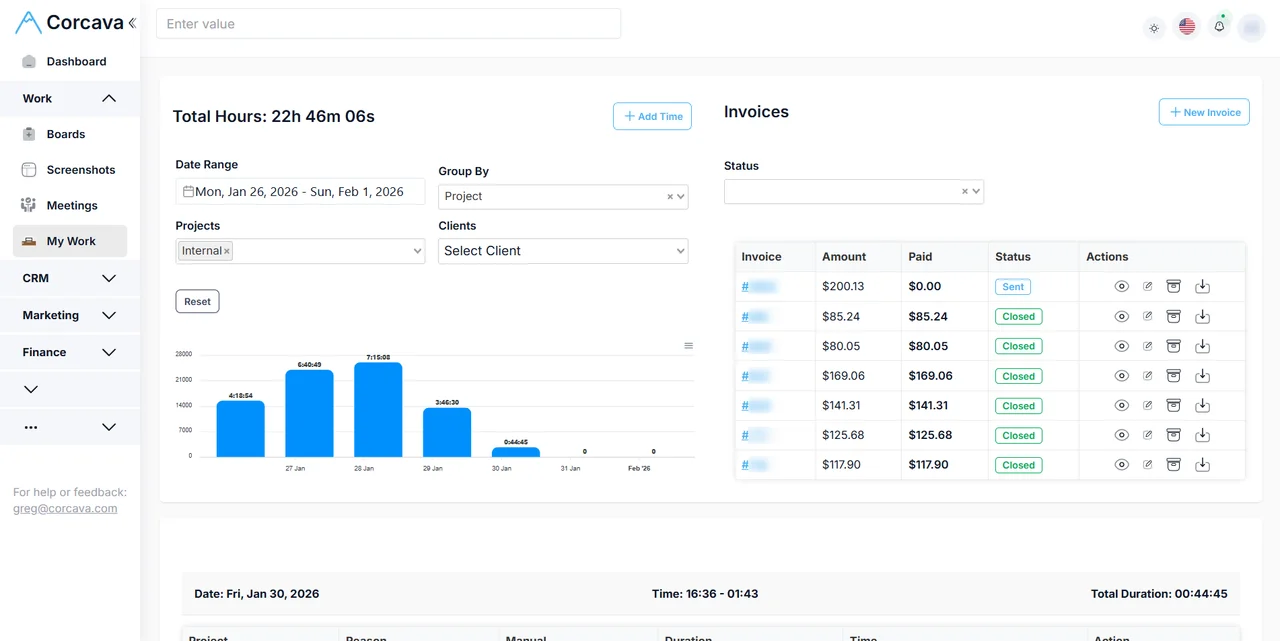
Link time entries directly to projects and tasks for seamless project management.
Billable Hours
Review which project time is chargeable, then generate invoice lines from selected intervals at the applicable bill rates.
Cross-Platform
Track time from desktop, web, or mobile - your data syncs across all devices in real-time.
Related features
Dive deeper into time tracking capabilities.
Guides & resources
Practical guides for time tracking, billing, and team habits.
Ready to bill the work? Follow the time-to-invoice walkthrough to check bill rates, select the billing period and generate invoice lines.
Time Tracking Guides
Billable hours playbook, utilization rate, screenshots transparency, manual vs timer, and more.
Time Tracking With Screenshots
Regular screenshots during tracked time, reviewed by AI with evidence behind every finding.
Upwork Time Sync
Sync Upwork time entries, contracts, and rates to Corcava. Stop double-entering hours.
Start Tracking Time Today
Join teams using Corcava to track time, improve productivity, and bill clients accurately
Free 14-day trial →No credit card required