
CRM + Projects + Time Tracking + Invoicing. One tool.
Turn a lead into a project, track time, and generate a multi-currency invoice—without exporting data between tools.
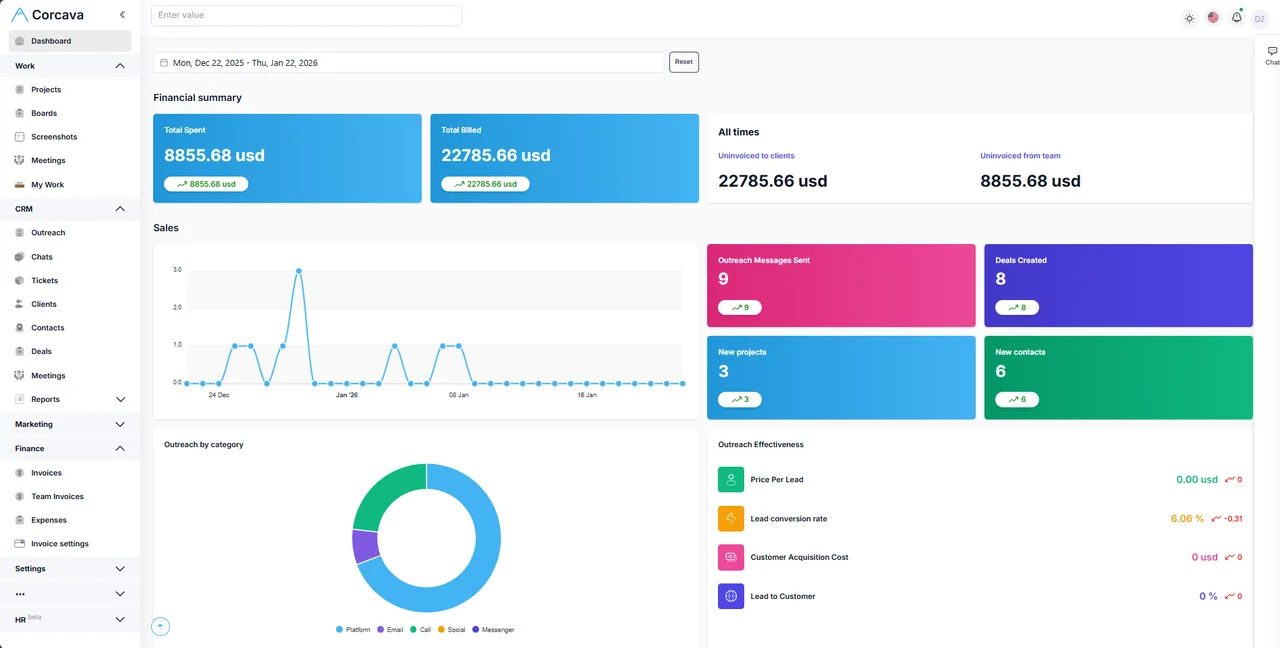
Try the live demo
Shared workspace with sample data. Resets periodically.
The interesting parts
Beyond the standard CRM/PM/invoicing combo, here’s what we think is actually cool.
AI Agent + Messaging Bots
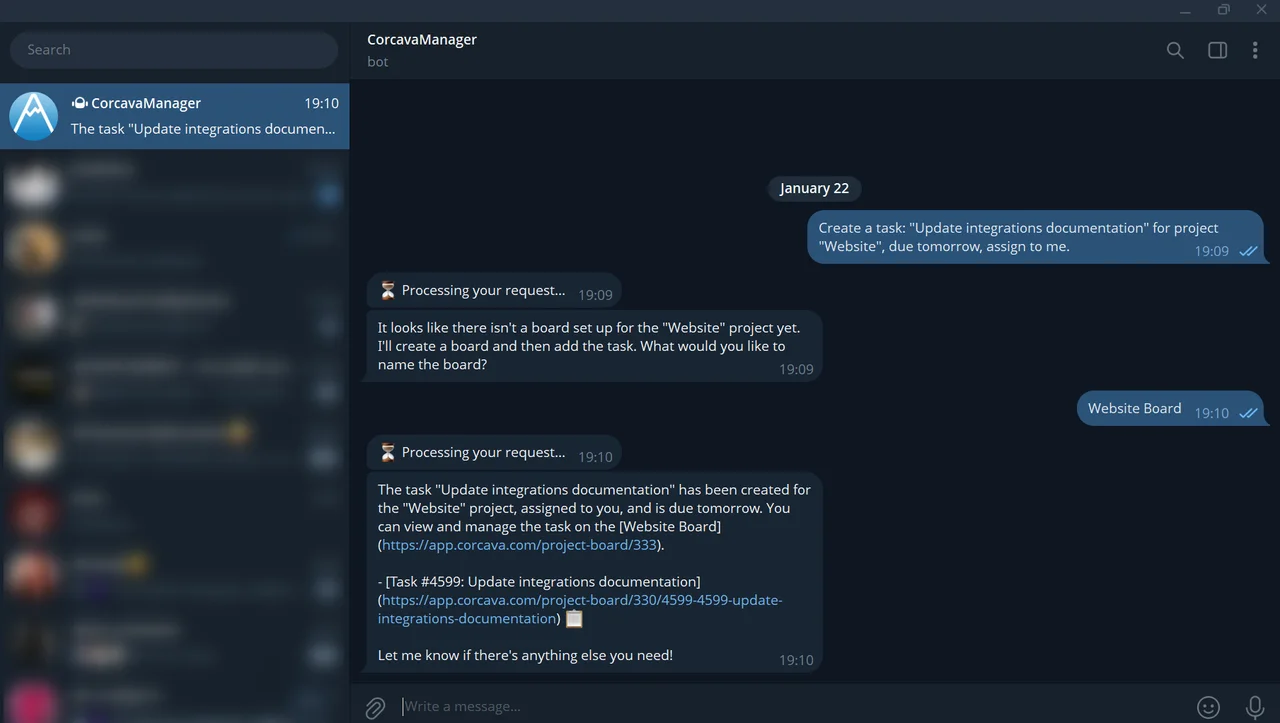
An AI assistant lives inside the app—ask it to create tasks, pull reports, or explain data. The same agent is available as a Telegram bot and a Slack bot, with WhatsApp and Discord coming soon. Voice notes, documents, and conversation history are all supported.
- • In-app AI assistant for tasks, reports, and project questions
- • Track time, create tasks, and get notifications from chat
- • Voice notes and document attachments supported

AI Screenshot Analysis
Instead of scrolling through hundreds of screenshots, ask questions in plain English. The AI detects applications, classifies activity, and returns results with confidence scores.
- • “Was this person watching YouTube?”
- • “Find screenshots showing social media usage”
- • Optional daily auto-analysis with custom prompts per user
GitHub Coding Reports
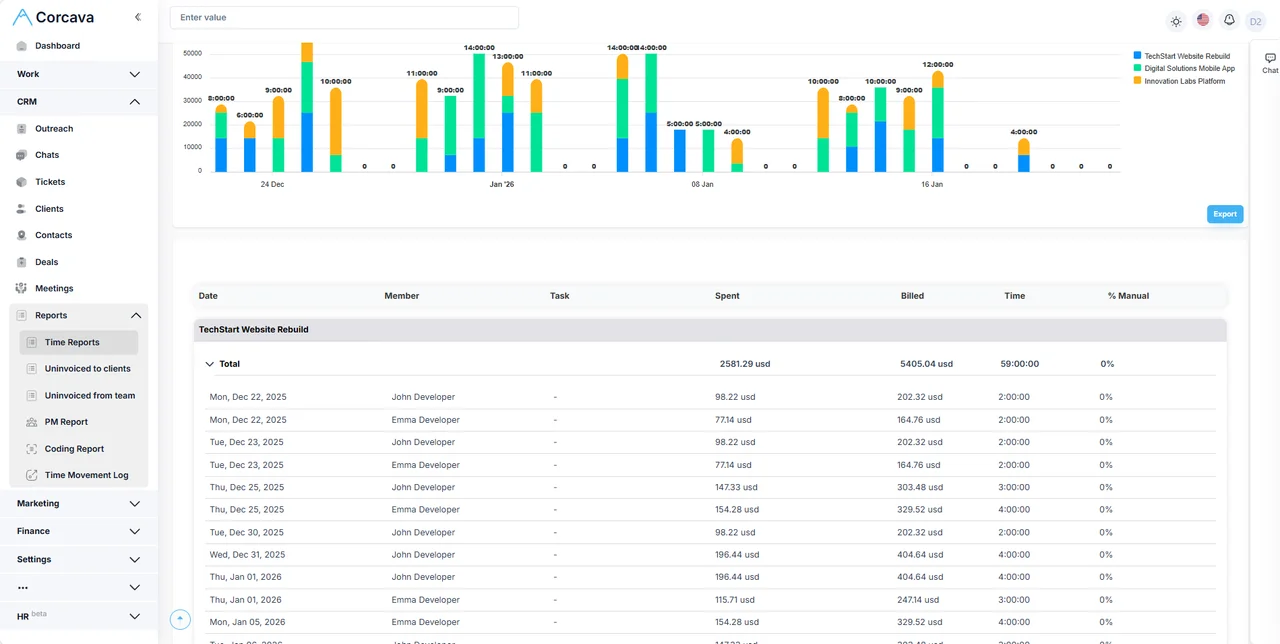
Connect GitHub (or GitLab), sync commits, and see coding activity alongside tracked time in a unified report. Map contributors to team members automatically by email.
- • Commits + time tracked in one view
- • Per-repository and per-contributor breakdown
- • Optional Cursor IDE integration for AI coding metrics
// claude_desktop_config.json
{
"mcpServers": {
"corcava": {
"url": "https://app.corcava.com/mcp",
"headers": {
"Authorization": "Bearer your-api-key"
}
}
}
}
Model Context Protocol
Corcava exposes an MCP server. Point Claude Desktop, Cursor, Windsurf, or any MCP-compatible client at it with an API key and your AI assistant can read and create tasks, start/stop time tracking, browse projects and boards, and add comments—all through natural language.
- • 15 tools: tasks CRUD, time tracking start/stop, projects, boards, clients, contacts
- • Resources: read task details, board states, project info via URI templates
- • Auth via Public API key (generate in Settings → Integrations)
- • JSON-RPC over HTTP + SSE transport
Client Portal
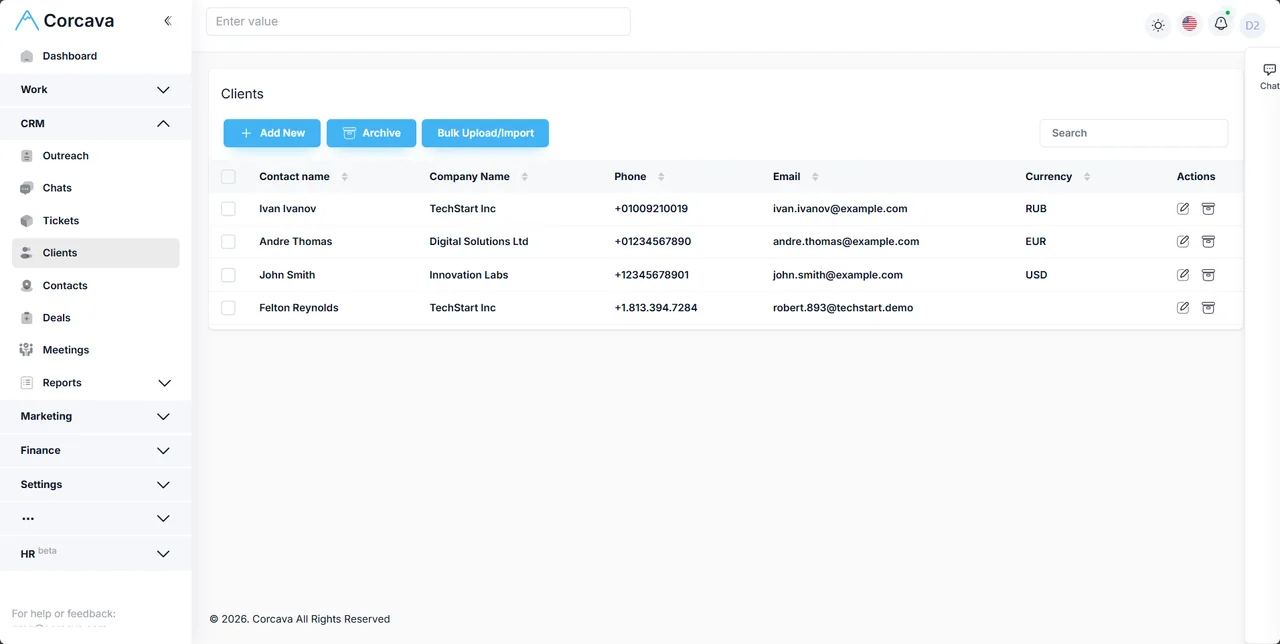
Invite clients to their own login. They see time reports filtered to their projects, screenshots captured during work (if enabled), and their invoices with payment status. They can pay invoices directly through the portal (Stripe or crypto), chat with your team, and request video calls. Each client only sees data scoped to their own projects—nothing else leaks.
- • Time reports with charts, filterable by date, project, team member
- • Screenshot gallery grouped by hourly intervals
- • Invoice list with status, payments, PDF download
- • Built-in chat and video call requests
Track Time from Anywhere
Desktop apps (Windows, Mac, Linux) with screenshots and idle detection. Web tracker in the browser. Mobile app (Android / iOS). Telegram bot. All sync to the same timeline.
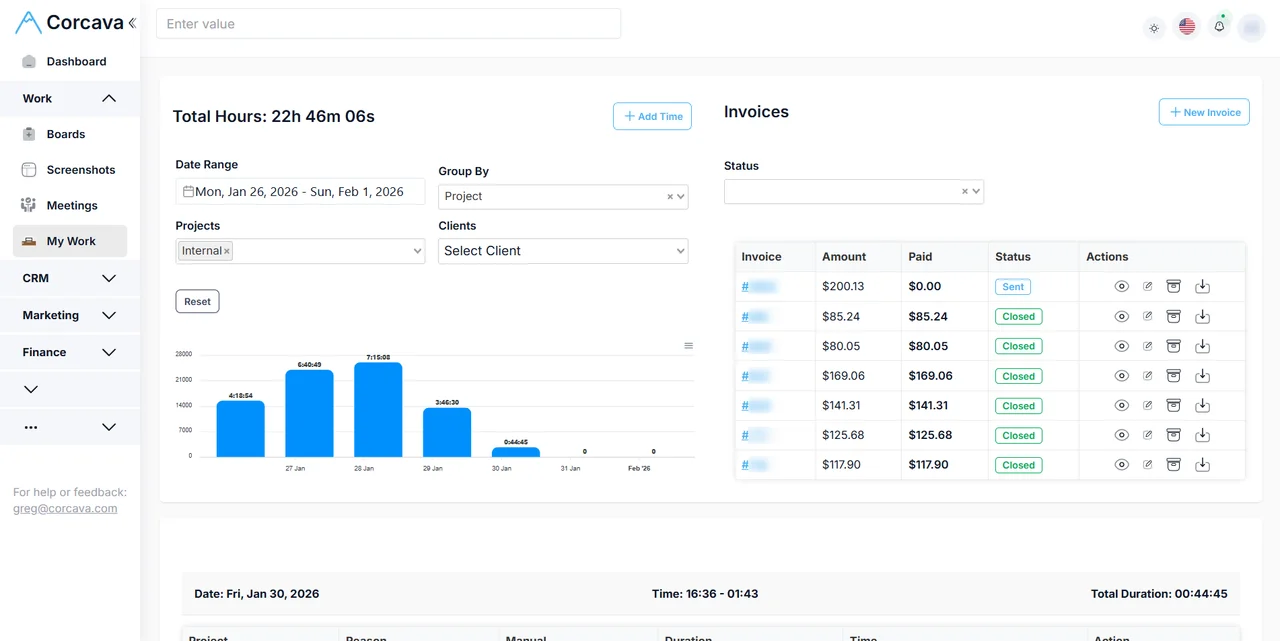
Invoices, Payments, Multi-Currency
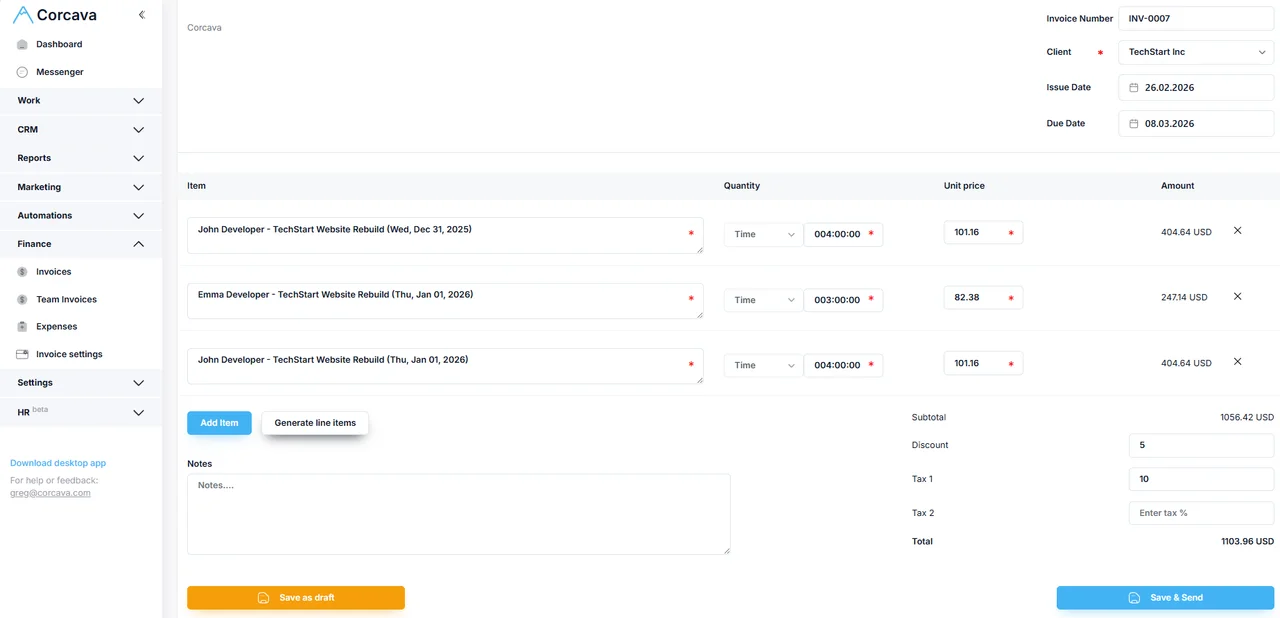
Select tracked time intervals, click a button, get an invoice with line items calculated from hours × bill rate. Each client can have a different currency—exchange rates are fetched and stored on the invoice so reporting shows both the invoice currency and your base currency.
Clients pay through a link. Two gateways built in: Stripe (card payments via hosted invoice page) and crypto via PassimPay (BTC, ETH, LTC, XRP, USDT). Webhooks update invoice status automatically when payment lands. You can also record manual payments (bank transfer, check, etc.).
Partial payments are tracked—the outstanding amount updates with each payment. Recurring invoices can be set per client (weekly, biweekly, monthly) and generate automatically from tracked time.
What it replaces
- ✕ HubSpot or Pipedrive for CRM
- ✕ Asana or ClickUp for projects
- ✕ Toggl or Harvest for time tracking
- ✕ QuickBooks or FreshBooks for invoicing
- ✕ Spreadsheets for glue between them
~$200–400/mo for a 5-person team
- ✓ CRM with deal pipelines
- ✓ Projects, tasks, Kanban boards
- ✓ Time tracking (desktop, web, mobile, Telegram)
- ✓ Invoicing with multi-currency
- ✓ Data flows between modules natively
$9/seat/month · 14-day free trial
Built for
Agencies
Manage clients, freelancers, projects, and billing in one place. Upwork integration included.
Consulting & Services
Track billable hours per client, generate invoices from time, handle multi-currency payments.
Ops-heavy SMBs
Replace the spreadsheet-and-tools patchwork. One login, one source of truth for your team.
Also included
REST API
Token-based auth. Endpoints for projects, tasks, boards, clients, contacts, time tracking, invoices, and reports. Docs.
Whitelabel
Custom domain with DNS verification. Your branding, your URL. Clients see your company, not Corcava.
Automation Pipelines
Trigger-based workflows: form submitted → create deal → send email → notify Telegram. No Zapier needed.
Form Builder
Multi-page forms, field mapping to contacts, duplicate detection, embed codes. Feeds into automation pipelines.
FAQ
Why all-in-one instead of best-of-breed?
Single source of truth. A deal becomes a project, time on that project becomes an invoice line item—no CSV exports, no Zapier, no sync conflicts. Fewer vendors to evaluate, fewer bills, fewer things that break.
Can I export my data?
Yes. CSV and Excel exports are available for time entries, invoices, contacts, projects, and reports. There’s also a REST API for programmatic access.
Is there an API?
Yes. REST API with token-based auth. Time tracking, projects, contacts, and invoices are all accessible. Documentation.
Pricing?
$9 per seat per month. All features included—no per-module pricing. 14-day free trial, no credit card required. See pricing.
Self-hosted option?
No, cloud-only. Data is stored in the EU (DigitalOcean Amsterdam) with regular backups and encryption at rest. That said, you can put Corcava on your own domain (whitelabel with DNS verification)—your clients see your URL and branding, not ours.
Tech stack?
Laravel 11 + Vue 3 (Composition API) + Inertia.js + Tailwind CSS. PostgreSQL. Desktop apps built with Electron. Mobile app with Capacitor. AI features powered by OpenAI and Anthropic APIs.
Is it just you or a team?
Small team, bootstrapped. We use Corcava ourselves to run the company (time tracking, client invoicing, the whole thing). Contact the founder directly: grigor@corcava.com.
One tool. No duct tape.
CRM, projects, time tracking, invoicing—connected natively. Try it free for 14 days.
No credit card required. $9/seat/month after trial.