
Consulting software from first conversation to final invoice
Updated
Consulting practice management for independent consultants and small firms: keep client relationships, project delivery, billable time, invoices, and financial visibility in one workspace. Solo practitioners comparing CRM options should read best CRM for one person alongside this page.
No credit card required · Operational billing and finances — not double-entry accounting
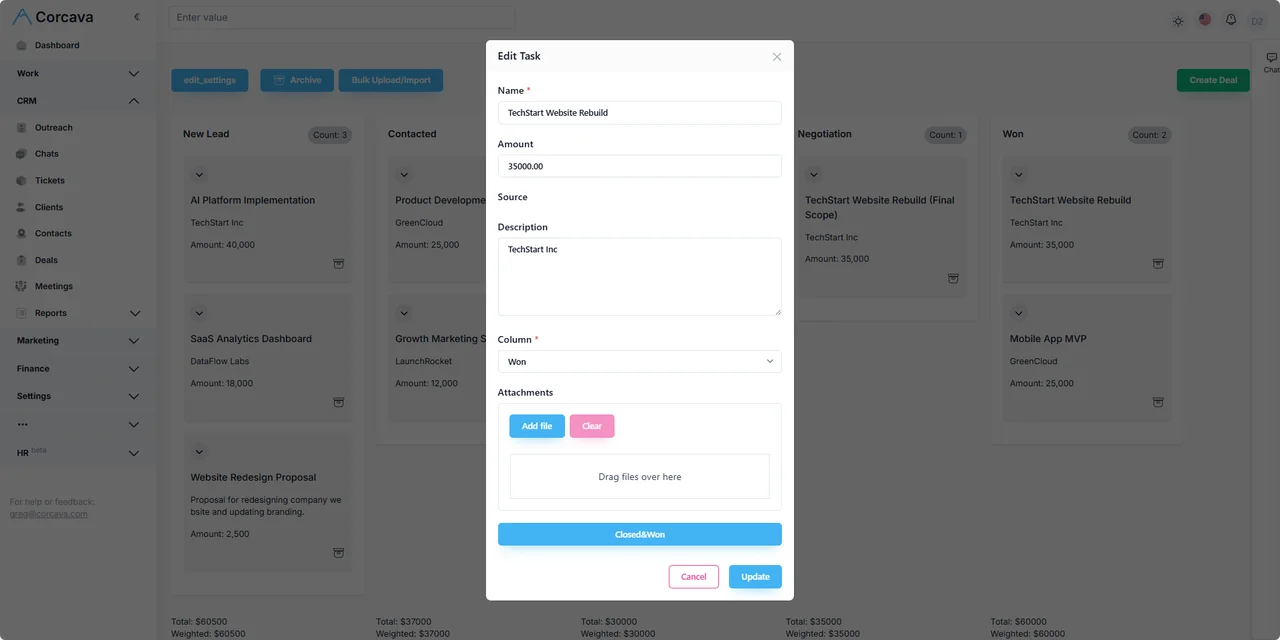
See a consulting engagement in the product
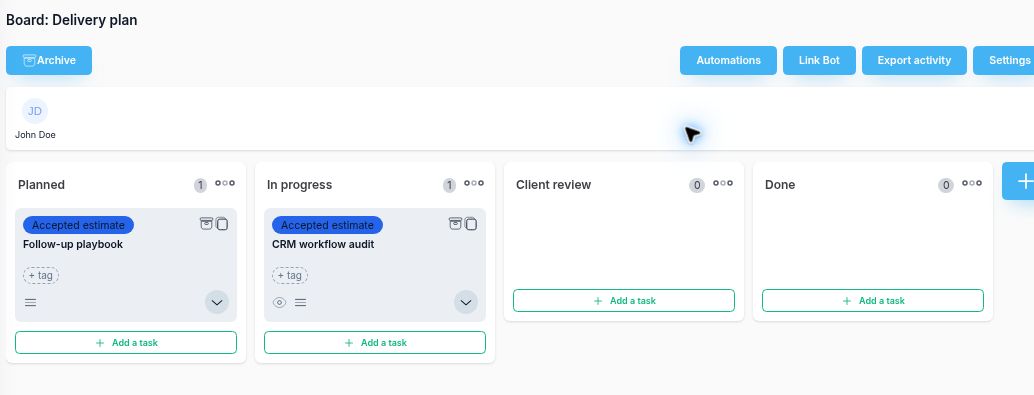
Northstar's fictional $1,250 estimate creates a delivery board with two tasks. The walkthrough then records 2.5 hours and creates a separate fixed-fee draft invoice. Hours do not automatically change the agreed price.
The spreadsheet gap between selling and delivering
Most consultancies run a familiar fragmented stack: contacts in a CRM or inbox, scope in documents, delivery in a task tool, hours in a tracker, and invoices in a spreadsheet or accounting product. Every new engagement means re-entering the same client context three times.
Corcava keeps the operating record connected from qualification through delivery and billing. Your accountant still owns the general ledger — Corcava owns the service-business workflow in between.
Six stages of a consulting engagement in one workspace
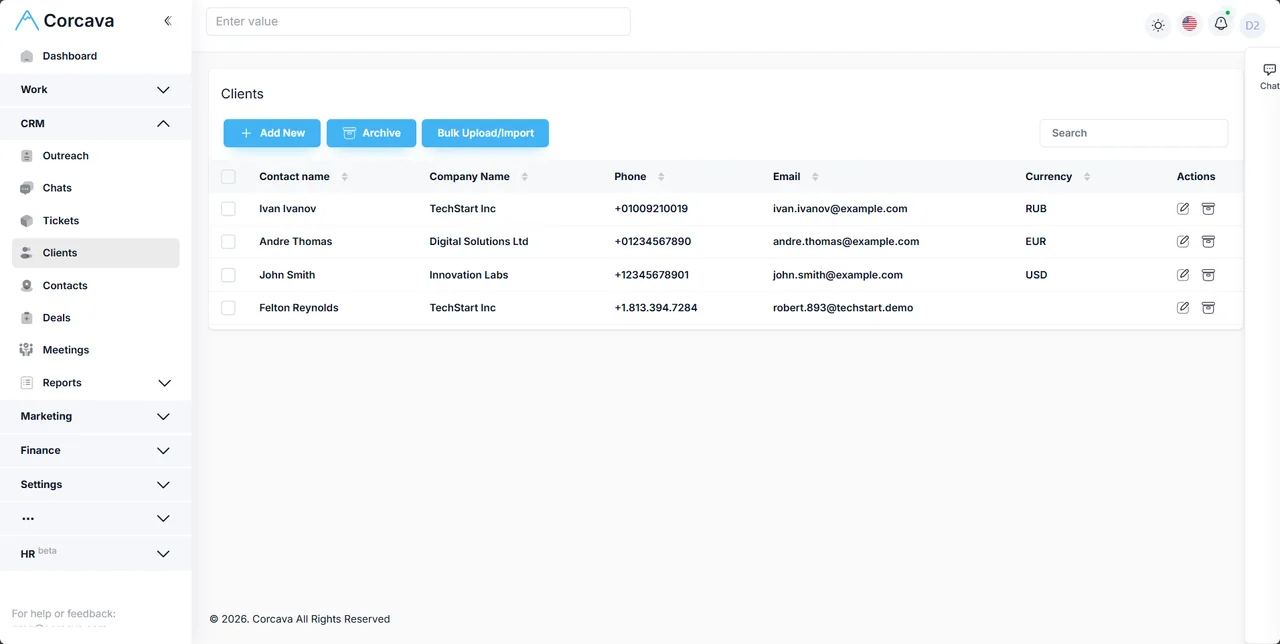
Keep the deal, accepted estimate, delivery project and invoice connected through explicit actions. The worked consultant workflow shows what carries over and what you still set up.
1. Qualify the opportunity
Keep client and contact links, deal value, stage and the next action available during qualification. See CRM for consultants or the CRM pipeline.
Input: inbound lead or referral. Output: qualified deal with owner.
2. Create the engagement
After estimate acceptance, use Create project to create a new project and Delivery plan board with one task per accepted line. Set dates and assignments separately.
Input: accepted estimate. Output: new project and line-item tasks.
3. Deliver the work
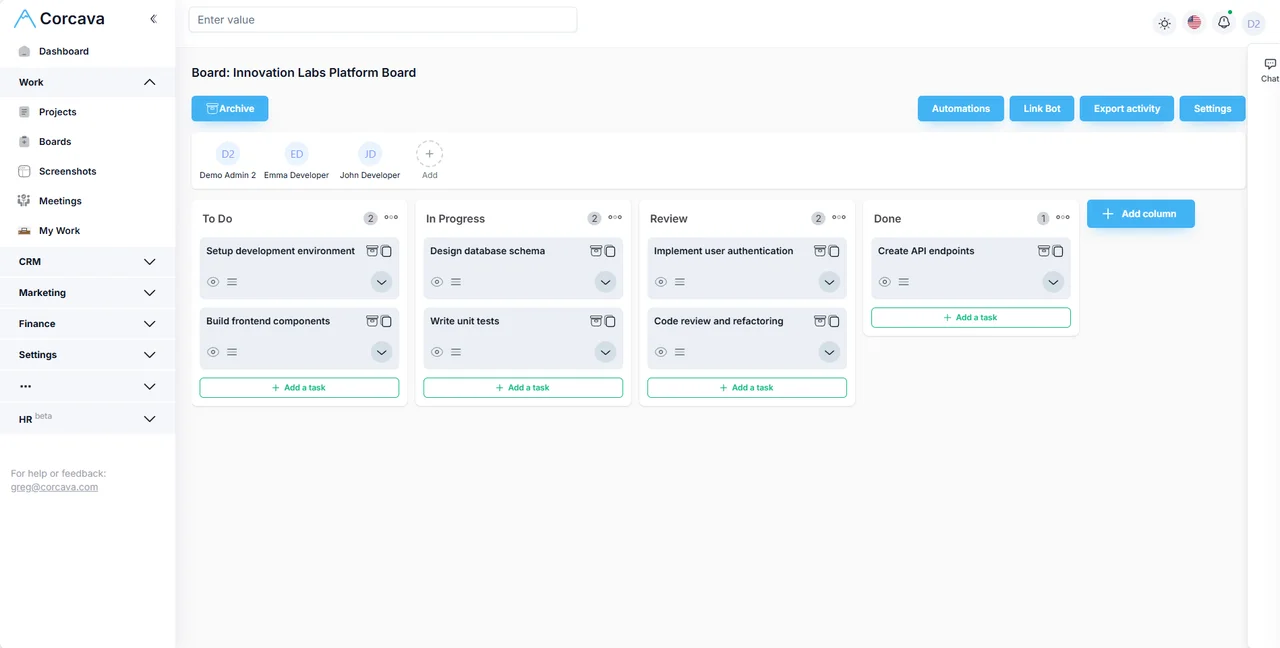
Run tasks and boards on project management. Review the intended client account's access before sharing boards or comments.
Input: scope and assignments. Output: completed deliverables with audit trail.
4. Track effort
Use a timer or manual entry with project and optional task context. Review effort separately from the agreed invoice basis. See time tracking.
Input: work performed. Output: recorded effort against the engagement.
5. Invoice the client
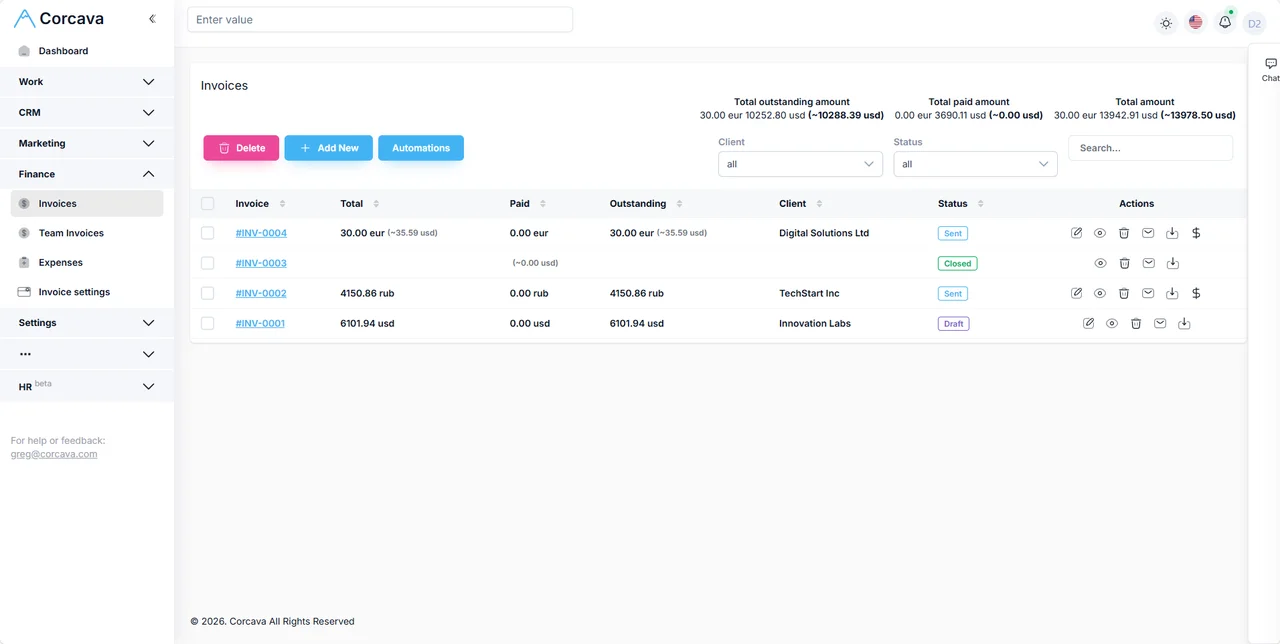
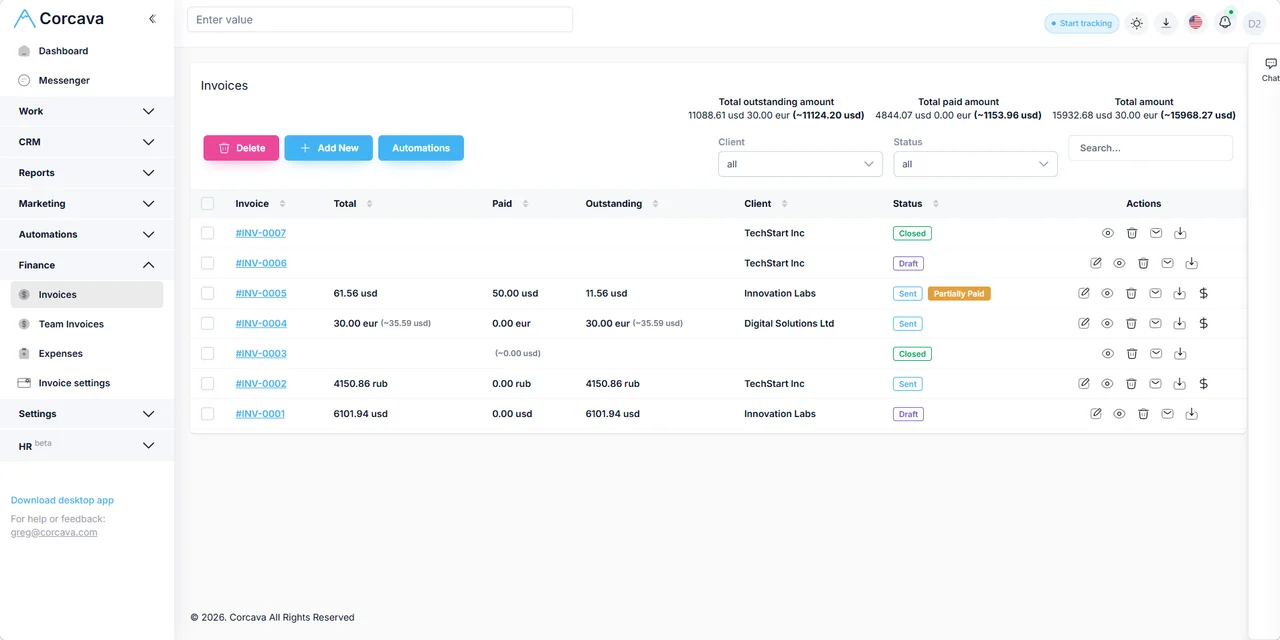
For an accepted fixed-price estimate, explicitly create its draft invoice. For hourly work, select the intended time and rates before saving a time-derived invoice. Do not bill the same work through both paths. See invoicing.
Input: agreed billing basis. Output: draft invoice to review before sending.
6. Review the economics
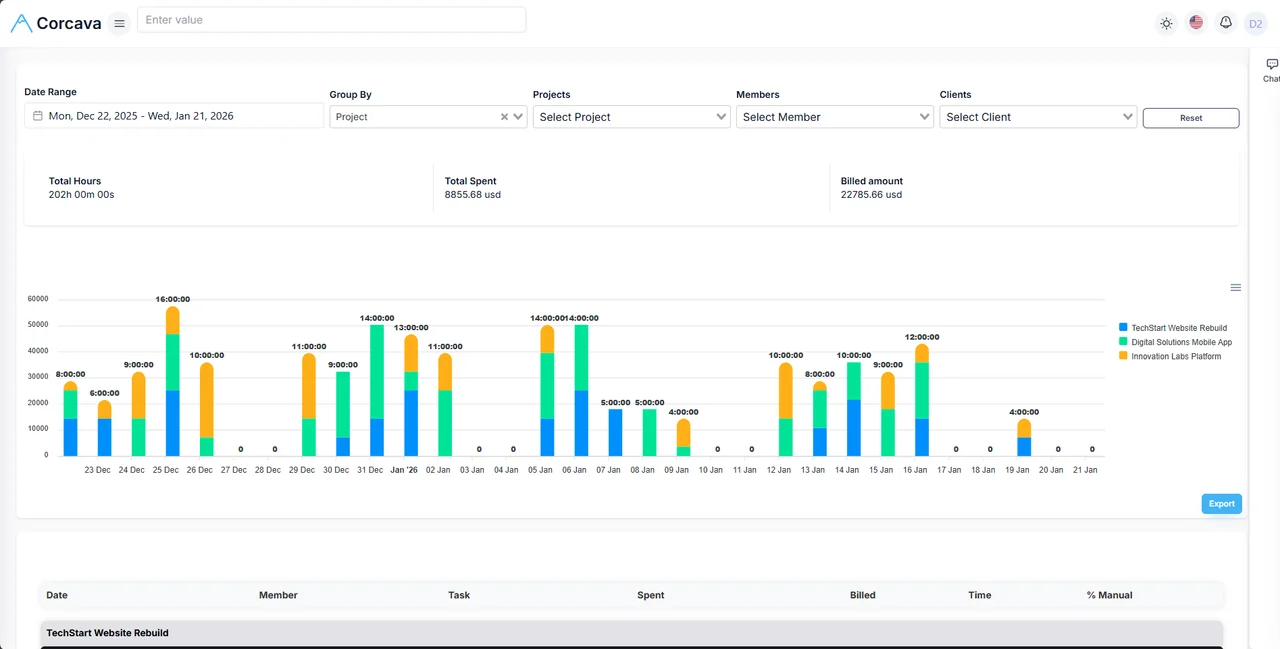
Compare spent vs billed, uninvoiced work, expenses, and ledger activity in reports and Project Finances.
Input: delivery + billing data. Output: operational margin signals (not a single margin % dashboard).
How different consulting models use the same system
Independent consultant
One person owns CRM, delivery, time, and invoicing. Billable vs non-billable hours matter for utilization; client portal reduces status emails.
Boutique team (2–10)
Lead consultant runs the deal; specialists log time on shared tasks. Cost and bill rates produce separate time-report values; review the agreed basis before creating an invoice.
Retainer-based consulting
Review monthly recorded effort against the agreed retainer fee. Keep time-based Billed values, invoice amounts and recorded payments separate.
Fixed-fee engagement
Milestone invoices on a fixed SOW; internal spent tracked against delivery cost. Scope creep shows up as uninvoiced or unplanned hours.
Hourly / T&M
Invoice from selected time entries at project bill rates. Uninvoiced reports drive weekly billing discipline.
Consultant + subcontractors
Compare client bill rates with subcontractor cost rates. Linked team invoices and project expenses appear in Project Finances; count overlapping time cost and team-invoice cost only once.
Fractional / multi-client work
Several concurrent engagements with separate projects, permissions, and client portal access. Weekly targets help each fractional lead track recorded hours without claiming full resource planning.
Client collaboration with clear boundaries
Clients can see permitted project boards, time reports, invoices, and messages in the client portal — under your brand where configured.
- ✓Check each area: board assignments and report or invoice client associations are separate
- ✗Review shared content: do not assume comments are private or Draft invoices are hidden
- →Verify the intended account's records and actions. Viewer access is not a guarantee of strictly read-only access.
Time, rates, and financial visibility
Review time-based costs and billable value alongside the project's linked invoice and expense records. Each measure has a different basis:
- →Recorded effort by project and task
- →Cost and bill rates for the recorded work; check effective dates before comparing reports
- →Spent vs billed in reports
- →Uninvoiced time without the relevant invoice link; linked Draft invoices can already remove time from that list
- →Expenses on the engagement via expense tracking
- →Project Finances ledger of linked invoice amounts and project expenses; Income is not cash collected
Use the profitability calculator before quoting, then follow the worked project profitability review to reconcile time, invoices and expenses. Margin arithmetic is separate from the app's source figures.
Worked example: six-week implementation engagement
Illustrative scenario for a three-person implementation consultancy. Corcava does not compute one headline margin percentage — you interpret spent, billed, and ledger totals together.
| Stage | What happens | In Corcava |
|---|---|---|
| Qualify | $42,000 fixed-fee ERP rollout opportunity | Deal on pipeline; client contact and notes attached |
| Engage | SOW signed; lead + specialist assigned | After agreement, explicitly create the delivery project and check milestone tasks |
| Deliver | Discovery, config, UAT over six weeks | Task board; verify client access before sharing milestone progress |
| Track | Lead 80 h @ $95 pay; specialist 60 h @ $70 pay; 8 h OOS hourly | Spent: $11,800 internal; OOS hours recorded separately for billing review |
| Invoice | $21,000 milestone + $1,600 OOS @ $200/h + $240 travel expense | Two client invoices; expense on project |
| Review | Partner checks engagement health before final milestone | Review time-based Spent and Billed, selected invoice amounts and project expenses separately |
What Corcava replaces — and what it does not
| Workflow | Corcava role | Boundary |
|---|---|---|
| CRM / contact context | Native operating record for clients, deals, messages | Not a marketing-automation or outreach-sequence suite |
| Projects / tasks | Native delivery workspace for engagements | Not enterprise portfolio planning or formal PMO tooling |
| Time and rates | Operational tracking with pay/bill rates | Review the intended account and exported financial columns before sharing |
| Invoices / expenses | Service-operations billing workflow | Not a general ledger, payroll, or tax system |
| Client access | Portal for progress, time, invoices, chat | White-label scope follows plan-specific controls |
| Documents / contracts | Attach files to deals, projects, and tasks | Version-specific estimate acceptance; separate SOW and contract process |
Frequently asked questions
What software do consulting firms need?
At minimum: client and deal context, project/task delivery, time tracking with bill rates, invoicing, and a way to see whether engagements are financially healthy. Corcava connects those workflows; accounting software handles the formal books.
Is Corcava suitable for independent consultants?
Yes. Solo consultants use the same CRM, projects, time, and invoicing workflow without a separate tool for each stage. The client portal reduces status-update email when you want client visibility.
How should consulting teams separate delivery and internal effort?
Record delivery and internal effort on deliberately chosen projects. When preparing an hourly invoice, select the intended client, project and period and review the included work. A project's billable flag is not a per-entry invoice filter.
Can clients see project progress?
Yes, subject to the account's role, assigned projects and associated clients. Verify boards, reports, invoices and available actions with the intended account; do not assume drafts or comments are private.
Does Corcava support fixed-fee and hourly engagements?
Yes. An accepted fixed-price estimate can create a draft invoice through an explicit action. Hourly work uses selected time entries and applicable bill rates. Choose the agreed basis and avoid billing the same work twice; estimate invoicing does not consume tracked time.
Does Corcava replace accounting software?
No. Corcava handles consulting operations: time, invoices, expenses, and project financial visibility. Tax, GAAP reporting, and your general ledger stay in QuickBooks, Xero, or similar.
Can I manage subcontractor cost and client bill rates?
Yes. Review cost and bill rates alongside linked invoices and project expenses. If a team invoice covers the same hours as time-based Spent, count that labor once in your analysis. Calculate margin separately on a stated cost basis.
Is there a CRM for consultant contacts and deals?
Yes. See CRM for consultants for the relationship layer, or the main CRM feature for pipeline details.
Can I import clients or projects from another system?
Corcava supports CSV import for common entities. See the Pipedrive migration guide for a documented path. Generic import is not a native two-way sync.
Related resources
CRM for consultants
Contacts, deals, and follow-ups for consulting relationships
Project Finances
Understand linked invoice and expense totals alongside time reports
Invoicing
Invoice from tracked time, milestones, or retainers
Time tracking
Billable hours with project and client context
Lead-to-invoice guide
Eight-stage client workflow
Migrate from Pipedrive
Import contacts and deals into Corcava
Agency management
Similar lead-to-invoice workflow for agency teams
Professional services automation
PSA category overview for billable service teams
Client portal
Client-visible progress, time, and invoices
Profitability calculator
Model margin before you send the SOW
Billable hours calculator
Six-minute increments and utilization math
Run consulting engagements without the tool handoffs
Connect the first conversation, agreed scope, delivery and billing.
Start free 14-day trial →No credit card required