
Consulting client relationships
CRM for consultants, from enquiry to agreed work
Updated
Keep the person, opportunity and proposed engagement connected. Corcava brings contacts, deals and estimates into the same workflow, with an explicit handoff from accepted scope to a delivery project.
See the complete CRM to delivery walkthroughOpen CorcavaFollow a fictional consulting engagement through acceptance, delivery and a draft invoice.
Evaluate the handoffs your consulting practice needs
A useful CRM should make the next decision clear: what the prospect needs, what you have offered and what has actually been accepted. Test those handoffs with one engagement before moving the rest of your pipeline.
Keep enquiry context with the contact
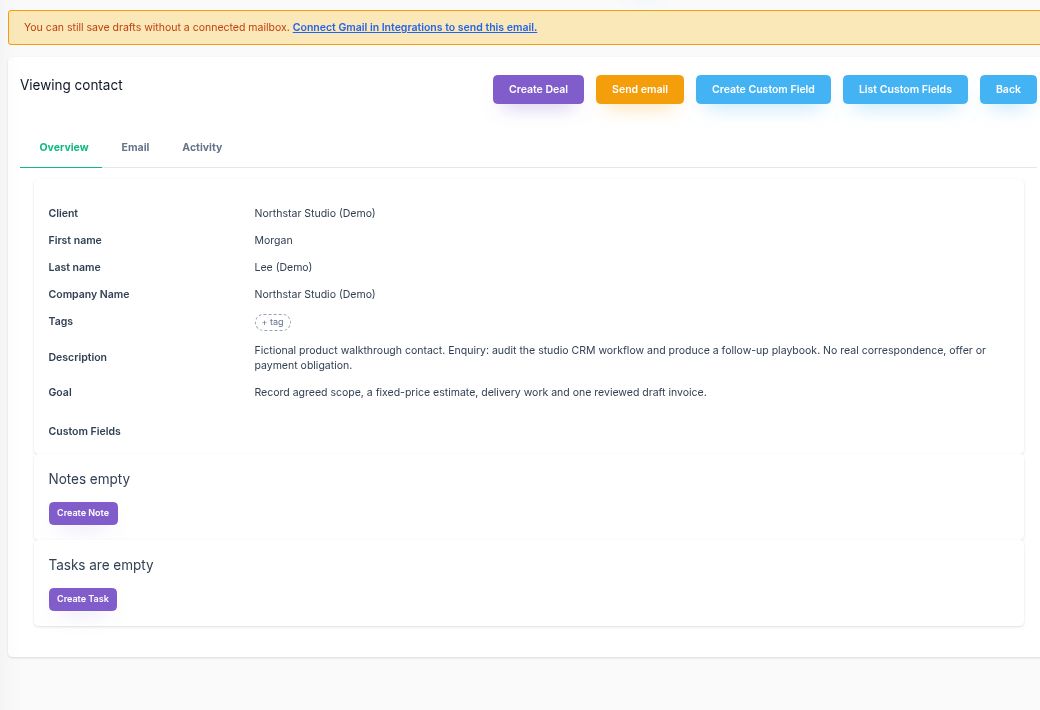
Use the contact description and notes for the enquiry and qualification decisions. Create the deal from the contact detail so the opportunity is linked to that person. A client record, contact and deal are separate records with different roles.
Make the offer specific
Create an estimate from the deal, then verify its Client, Contact and Deal selections. Describe deliverables as priced line items and add planned effort when useful. A deal amount or pipeline stage is not an accepted scope of work.
Separate follow-up from acceptance
Record the next conversation or follow-up in the contact's notes and tasks. Finalizing an estimate locks that version for review; Sent and Viewed are not acceptance. Check the estimate's recorded decision before starting the delivery handoff.
Carry accepted deliverables into work
From an accepted estimate, choose Create project to create a new project and Delivery plan board. Each accepted line becomes one task. Set assignees and dates afterward; moving a deal card does not perform this conversion.
A fixed-price consulting example
Northstar CRM workflow audit (Demo) is a fictional engagement with Morgan Lee (Demo). It has two deliverables, each with quantity 1. Any acceptance shown belongs to the nonbinding demonstration; it is not consent from a real client.
| Deliverable | Fixed price | Planned effort |
|---|---|---|
| CRM workflow audit | $750 | 360 minutes / 6 hours |
| Follow-up playbook | $500 | 240 minutes / 4 hours |
| Total | $1,250 | 10 hours planned |
Acceptance makes the estimate eligible for the separate project and draft-invoice actions. The delivery board receives two tasks with time estimates of 6 and 4 hours. The draft invoice uses the accepted prices, totaling $1,250 for this example.
Keep the billing basis clear: time recorded during delivery is effort evidence for this fixed-price engagement. It does not change the accepted fee and should not be billed again for the same work.
Prepare the relationship for delivery
Confirm the agreed deliverables, the person who can make decisions and what you need before kickoff. Use the client onboarding template for that preparation and a change request form to describe proposed additions before they become agreed work.
For the product views, explore CRM contacts and deals and CRM with project management. The consulting practice overview covers the broader practice.
Questions about consultant CRM
What should a CRM for consultants help me evaluate?
Check whether you can keep the contact and opportunity linked, price clear deliverables, record acceptance, and turn the accepted scope into delivery tasks. Also check which steps require your review, such as selecting the client, assigning work and preparing the invoice.
Does moving a deal to a won stage create the delivery project?
Moving a deal between pipeline stages does not perform the accepted-estimate conversion. In this workflow, an accepted estimate enables a separate Create project action. That action creates a new project, a Delivery plan board and one task per accepted line item.
Can I record time on a fixed-price engagement?
Yes. Record time against the project and task to review the effort involved. In the example, the accepted fee is $1,250 and the invoice uses the accepted estimate. Time recorded for that same work is not an additional invoice amount.
Does estimate acceptance send the invoice?
No. After acceptance, Create draft invoice is a separate action that creates an unsent draft from the accepted quantities and prices. Review the client, currency, line items and dates before any later sending step.
Walk through one consulting engagement
See the individual actions, records and review points from enquiry to an unsent draft invoice.
Read the worked example