
Digital marketing agency operations from new business to client invoice
Run retainers, campaign delivery, billable time, client visibility, and invoicing on one connected record — the operational layer behind SEO, content, paid media, and lead-gen work. Not a replacement for HubSpot, Mailchimp, or ad-platform analytics.
No credit card required · Operational delivery and billing — ad metrics and email sends stay in their specialist tools
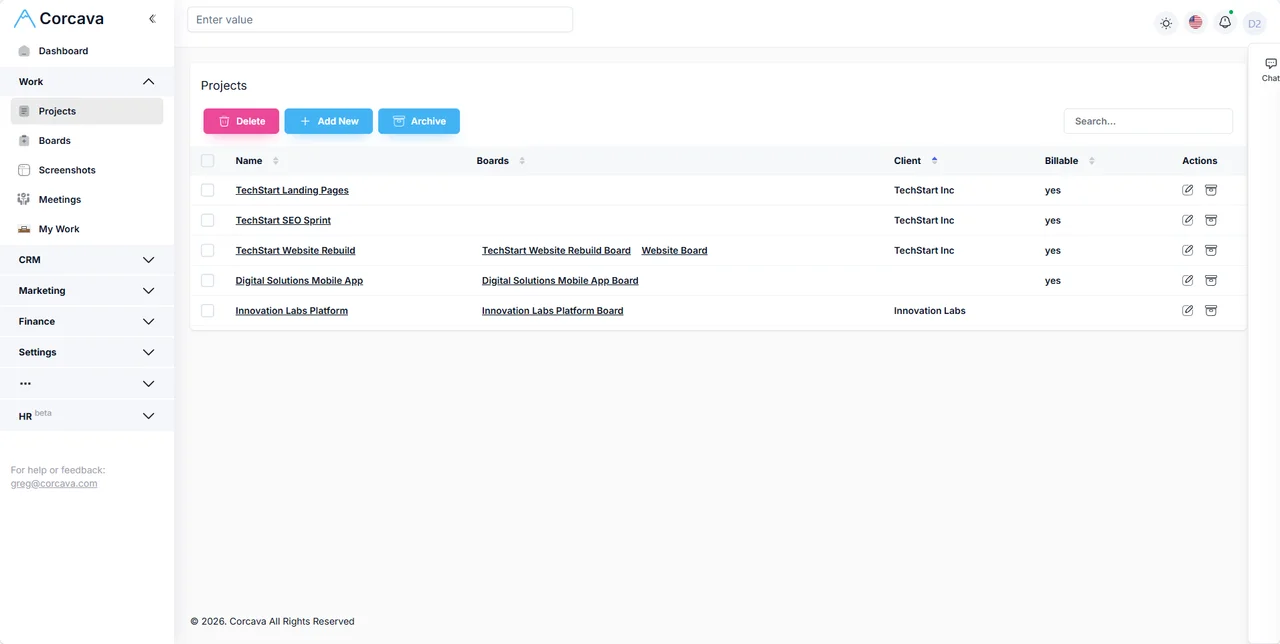
Delivery ops are fragmented; campaign analytics are not the fix
Most digital marketing agencies already have ad platforms, analytics, and email tools for campaign performance. The leak is usually operational: client context in a CRM, deliverables in a PM tool, hours in a tracker, invoices in another app, and client updates rebuilt manually every month.
Corcava is agency operations software for the delivery and billing side — CRM, projects, time, invoicing, client portal, and operational reporting on one client record. Google Ads, Meta, GA4, Search Console, and ESP dashboards remain where they belong.
Six stages of agency client work in one workspace
Corcava does not auto-create projects or invoices. Each stage shares the same client and engagement data so your team stops re-typing scope between sales and delivery.
1. Win the client
Track your agency’s own pipeline: referrals, outbound, and platform bids in outreach; qualified deals on the CRM. Optional landing pages and forms for your lead magnets.
Boundary: not bulk email, drip sequences, or lead-scoring automation.
2. Scope the engagement
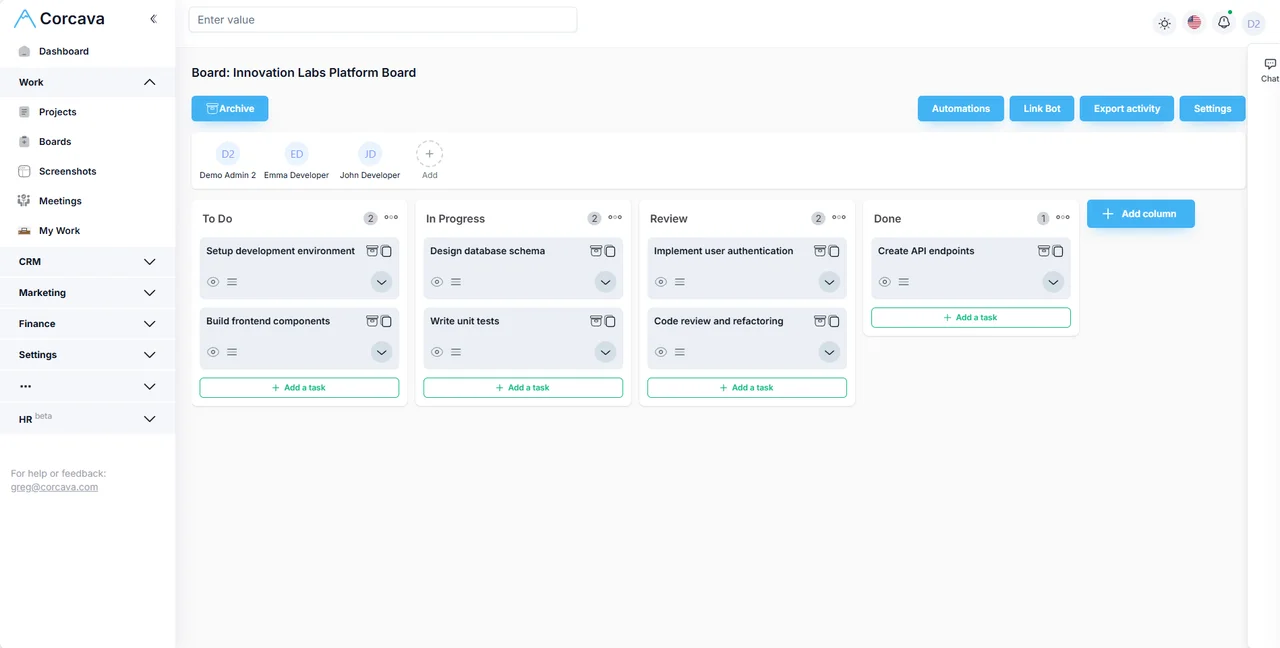
When the deal closes, create the client project manually — retainer bucket, campaign sprint, or fixed SOW. Assign strategists, specialists, and account owners.
Input: signed scope. Output: structured delivery project.
3. Deliver campaigns
Run SEO tasks, content calendars, ad ops checklists, and reporting prep on project boards. Execution in ad platforms and analytics tools; delivery tracking lives here.
Input: monthly deliverables. Output: completed work with audit trail.
4. Track effort
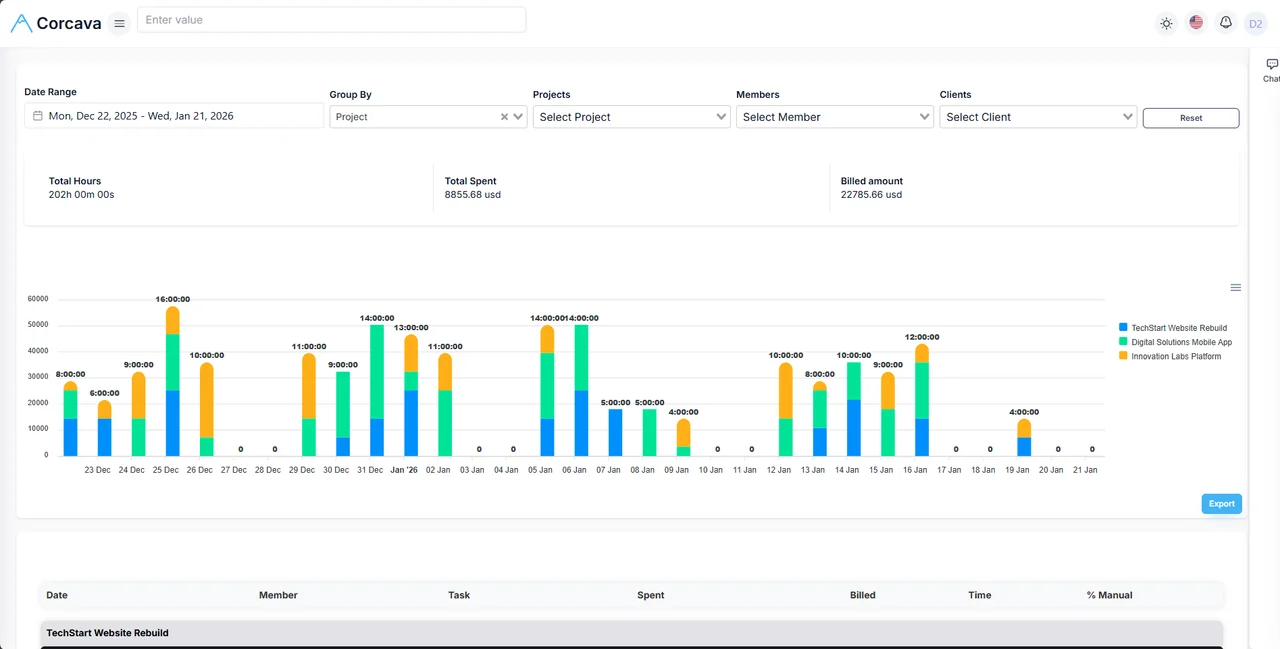
Log billable and non-billable hours per client and campaign. Compare retainer effort against scope before the month ends. See time tracking.
Input: team work. Output: auditable hours with rates where configured.
5. Invoice & share progress
Send retainer, milestone, or T&M invoices from invoicing. Share permitted tasks, time reports, and invoices in the client portal — delivery visibility, not live ad dashboards.
Input: approved billable work. Output: sent invoice + client-visible delivery status.
6. Review economics
Check spent vs billed, uninvoiced work, and ledger activity in reports and Project Finances before renewing or upselling the retainer.
Operational margin signals — not ROAS or keyword-rank dashboards.
How different marketing agency models use the same system
SEO & content retainer
Monthly deliverable tasks, tracked specialist hours, recurring invoice, and portal visibility for published work — without rebuilding status decks from scratch.
Paid media management
Campaign ops checklists and account-management time on one client project. Ad performance stays in Google Ads / Meta; Corcava tracks delivery effort and billing.
Lead-gen / growth agency
Your agency’s own pipeline in outreach + CRM; client delivery as projects. Landing pages and forms for your offers — not a full marketing-automation stack for clients.
Social & community retainer
Content production tasks, revision time, and monthly billing on a shared client record. Compare logged hours against retainer value before scope creep compounds.
Hybrid Upwork + direct clients
Platform contracts beside direct retainers in one workspace. See Upwork integration for contract economics beside delivery.
Multi-service boutique (8–25 people)
Several concurrent client retainers with separate projects, permissions, and portal access. Weekly target hours help account leads track recorded effort without claiming full resource planning.
Acquisition tools for your agency — honestly scoped
Corcava includes lightweight acquisition features for the agency’s own new business. They complement delivery ops; they do not replace client campaign tooling or ESP/marketing-automation platforms.
Outreach pipeline
Log opportunities, follow-ups, and outcomes for agency BD — platform bids, referrals, and outbound. See outreach.
Not: multi-step email sequences, open/click analytics, or A/B send automation.
Landing pages
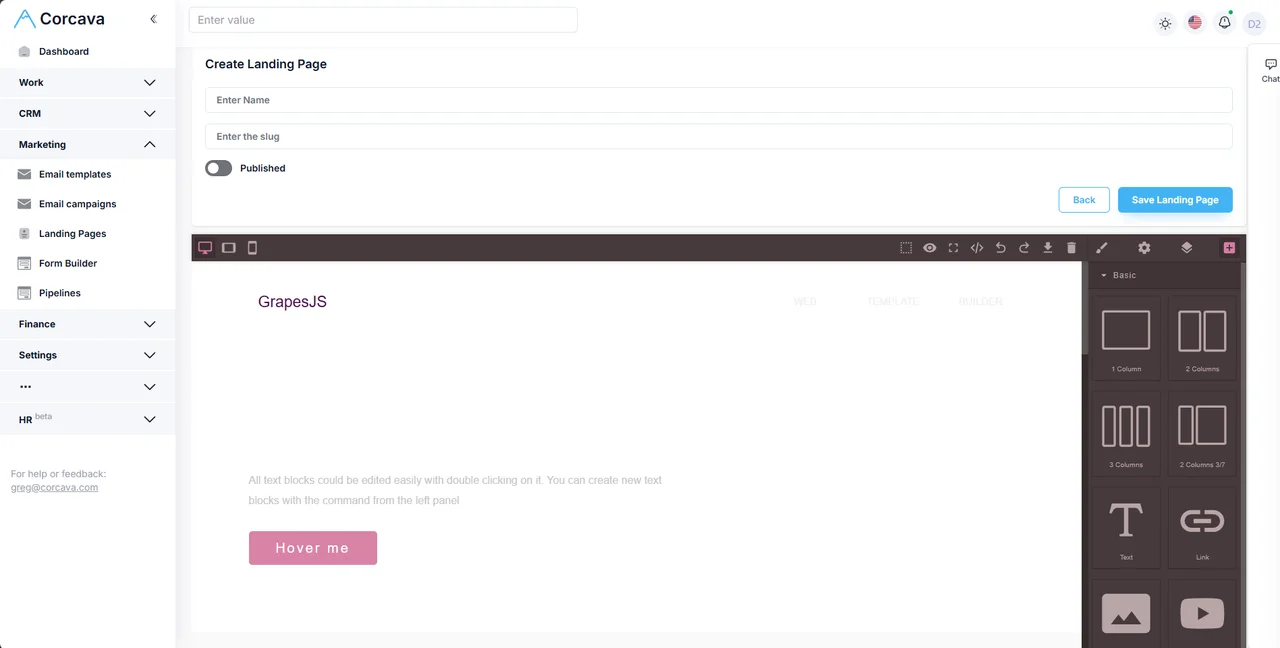
Build offer pages with the drag-and-drop editor; publish without a separate subscription. See landing page builder.
Not: enterprise CRO suites or client ad landing-page farms at scale.
Forms → CRM
Capture inbound leads into contacts on your CRM record. See form builder.
Not: complex lead-routing rules or marketing-automation workflows for client campaigns.
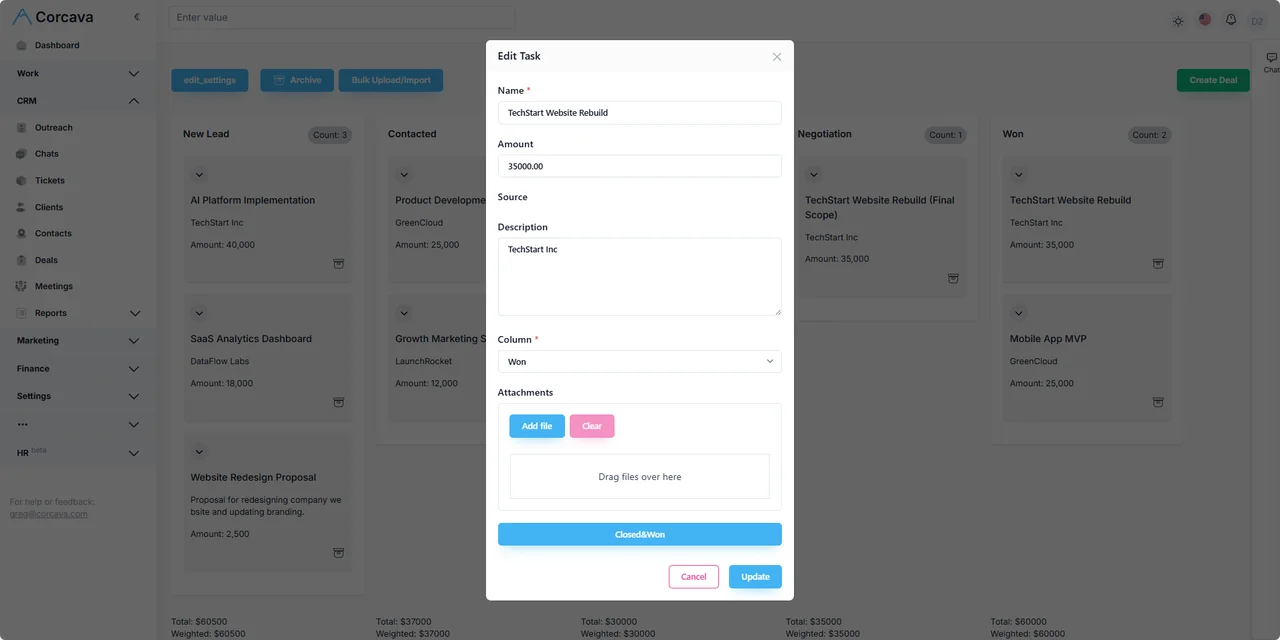
Client reporting = delivery visibility, not ad analytics
Clients can see permitted project boards, time reports, invoices, and messages in the client portal. Export operational reports when you want a PDF for a QBR — you choose what to share.
- ✓In Corcava: deliverable progress, approved time summaries, invoices, portal chat
- ✗Not in Corcava: live Google Ads ROAS, SEO rank tracking, ESP open rates, automated scheduled marketing dashboards
- →Attach campaign screenshots or link out to GA4 / ad platforms when clients need performance metrics.
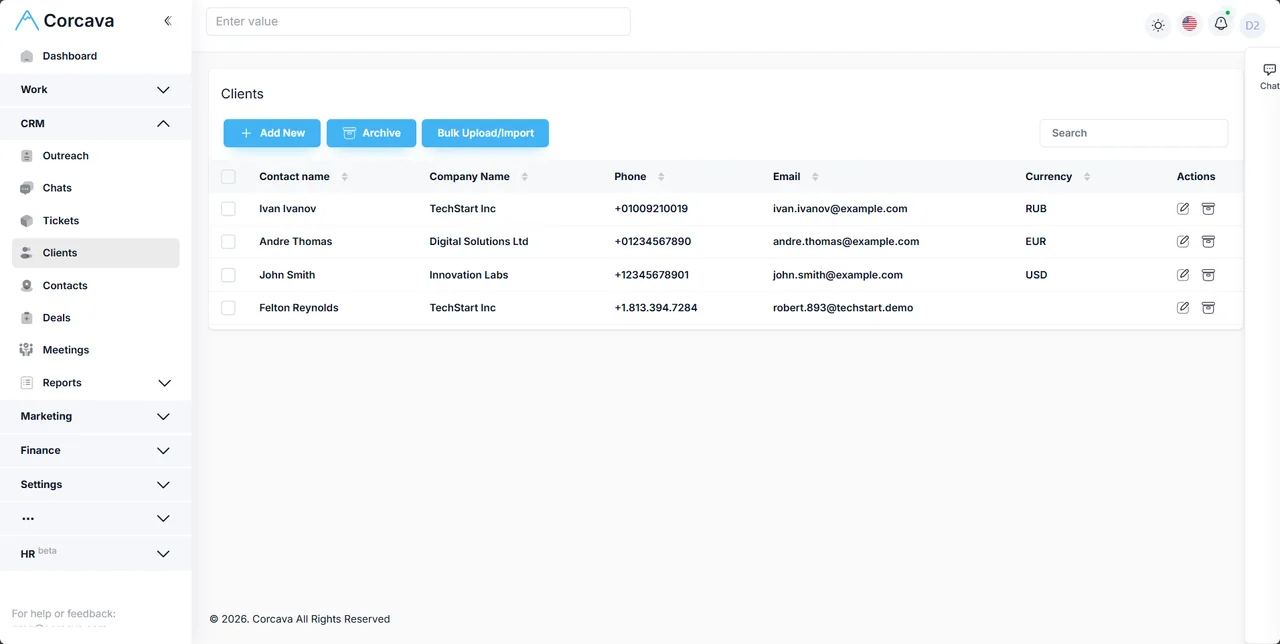
Retainer economics on one client record
Agency margin lives in delivery cost vs what the client pays — not in ad-platform metrics alone. Corcava connects the billing-side inputs:
- →Billable vs non-billable time per client and campaign
- →Pay and bill rates per member or project
- →Spent vs billed in reports
- →Uninvoiced work before month-end billing runs
- →Project Finances ledger for invoices in and team costs out
Use the profitability calculator when pricing retainers; use reports after delivery starts. Corcava is not accounting software.
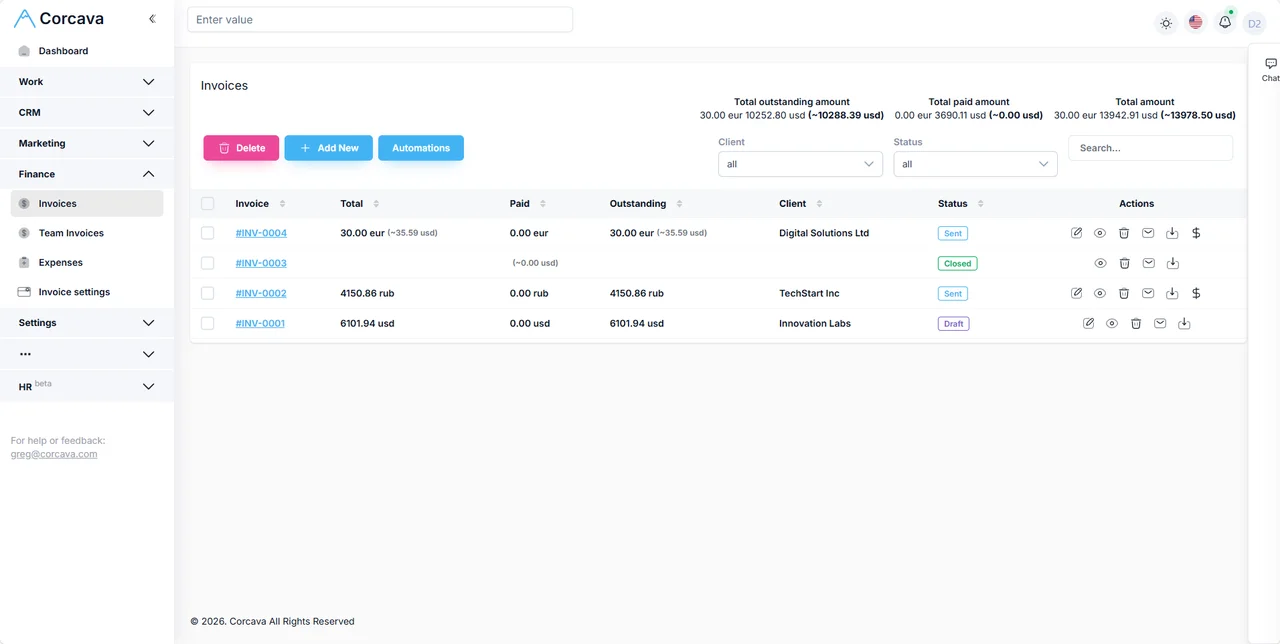
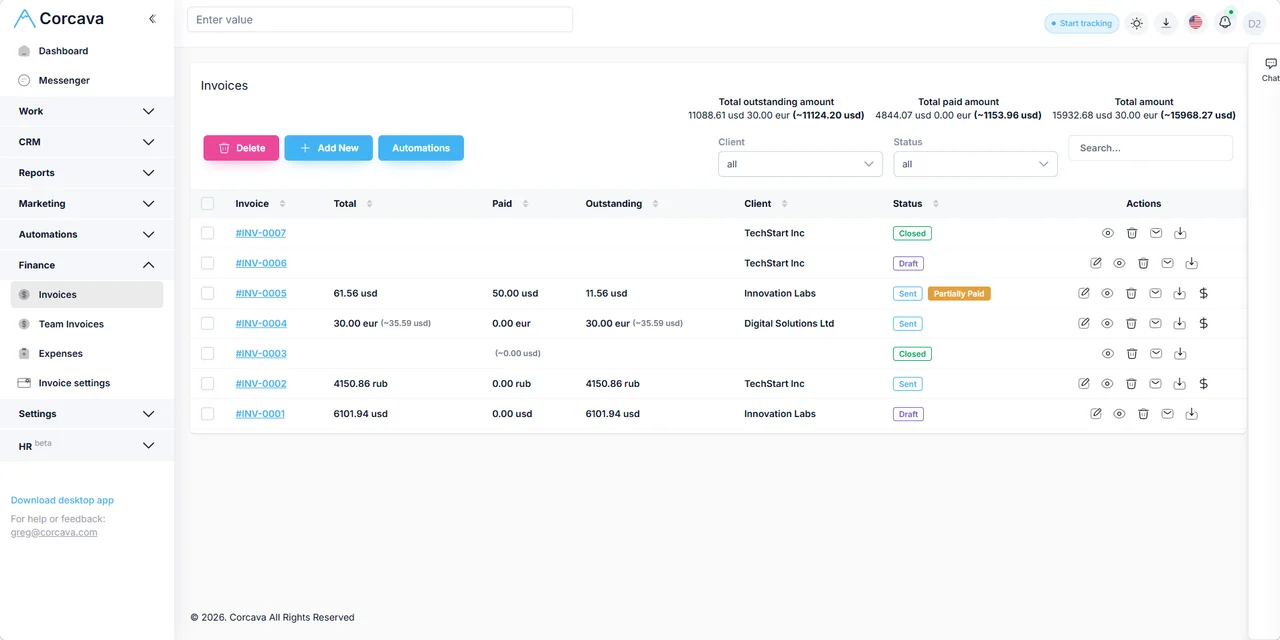
Worked example: $6,000/month SEO & content retainer
Illustrative scenario for a nine-person agency. Campaign analytics stay in Search Console and GA4; Corcava tracks delivery, time, billing, and retainer economics.
| Stage | What happens | In Corcava |
|---|---|---|
| Win | Referral closes; $6k/month SEO + 4 blog posts | Deal marked won; client contact on CRM record |
| Scope | Account lead creates retainer project | Monthly task template: technical audit, content, reporting prep |
| Deliver | Strategist 12 h, writer 28 h, AM 8 h on deliverables | Tasks completed; client sees milestone board in portal |
| Track | 48 billable h logged; 6 h internal QA marked non-billable | Time report by client; spent totals from pay rates |
| Invoice | $6,000 recurring retainer invoice sent | Invoice on project; client pays via portal / Stripe |
| Review | Owner checks whether 48 h fits retainer economics before renewal | Spent vs billed report; Project Finances ledger; uninvoiced = $0 |
What Corcava replaces — and what it does not
| Workflow | Corcava role | Boundary |
|---|---|---|
| Client CRM / deals | Operating record for agency clients and new-business pipeline | Not HubSpot-style marketing automation or lead scoring |
| Campaign delivery | Projects, tasks, and time for SEO, content, ads ops, and AM work | Not ad buying, rank tracking, or ESP send engines |
| Client reporting | Portal + operational exports for delivery and billing visibility | Not automated marketing-performance dashboards or scheduled ROAS reports |
| Time & invoicing | Retainer, milestone, and T&M billing from tracked work | Not payroll, tax, or general-ledger accounting |
| Agency lead capture | Landing pages, forms, and outreach for your new business | Not client email marketing at scale or nurture automation |
| Financial review | Spent vs billed, uninvoiced work, Project Finances | Not a single margin-% dashboard or campaign ROI engine |
Frequently asked questions
What software do digital marketing agencies need?
Campaign execution tools (ad platforms, analytics, ESPs) plus an operations layer: client CRM, project delivery, time tracking, invoicing, and a way to see whether retainers stay profitable. Corcava covers the operations layer on one record.
Does Corcava replace HubSpot or Mailchimp?
No. Corcava is not a marketing-automation or bulk-email platform. It connects agency client work from deal to invoice. Keep ESPs and marketing-automation tools for client campaign sends; use Corcava for delivery, time, billing, and client portal visibility.
Can Corcava show Google Ads or SEO performance?
No native ad or rank analytics. Track delivery tasks and account-management time in Corcava; pull performance metrics from Google Ads, Meta, GA4, Search Console, or your SEO tools when reporting to clients.
Can clients see campaign progress?
Yes, through the client portal for permitted projects, tasks, time reports, and invoices. You control what each client sees — a retainer client might view deliverable boards without internal pay-rate detail.
How do retainers and hourly overages work?
Fixed retainers use recurring or manual invoice lines; overages invoice from selected billable time entries. Both share the same project for spent-vs-billed review before renewal.
Are landing pages and forms included?
Yes, for agency lead capture. See landing page builder and form builder. They feed your CRM; they are not a replacement for client campaign tooling.
How is this different from the general agency page?
The agency management page covers the full lead-to-invoice stack for any service agency. This page focuses on digital marketing teams: retainers, campaign delivery ops, and honest boundaries around marketing analytics.
Does Corcava automate client reports?
No scheduled marketing-performance report automation. You export operational reports or share portal views when you choose. Campaign metrics from external platforms are attached or linked manually when clients need them.
Related resources
Agency management
Full lead-to-invoice workflow for service agencies
Professional services automation
PSA category overview for billable teams
Creative agencies
Brief-to-invoice workflow for design teams
Project Finances
Per-client ledger and spent-vs-billed context
Outreach
Agency new-business pipeline tracking
Profitable agency guide
Pricing, scoping, and margin for agencies
Agency pricing models
Retainer, hourly, and fixed-fee tradeoffs
Profitability calculator
Model retainer margin before you quote
Upwork integration
Hybrid platform + direct client ops
Run marketing agency delivery on one record
CRM, campaigns as projects, time, invoicing, and retainer economics — without pretending to be your ESP or ad dashboard.
Start free 14-day trial →No credit card required