
Track Time, Bill Globally, Get Paid
Track time, invoice clients in their currency, and get paid via card or crypto. Your reports stay consistent in your base currency.
No credit card required
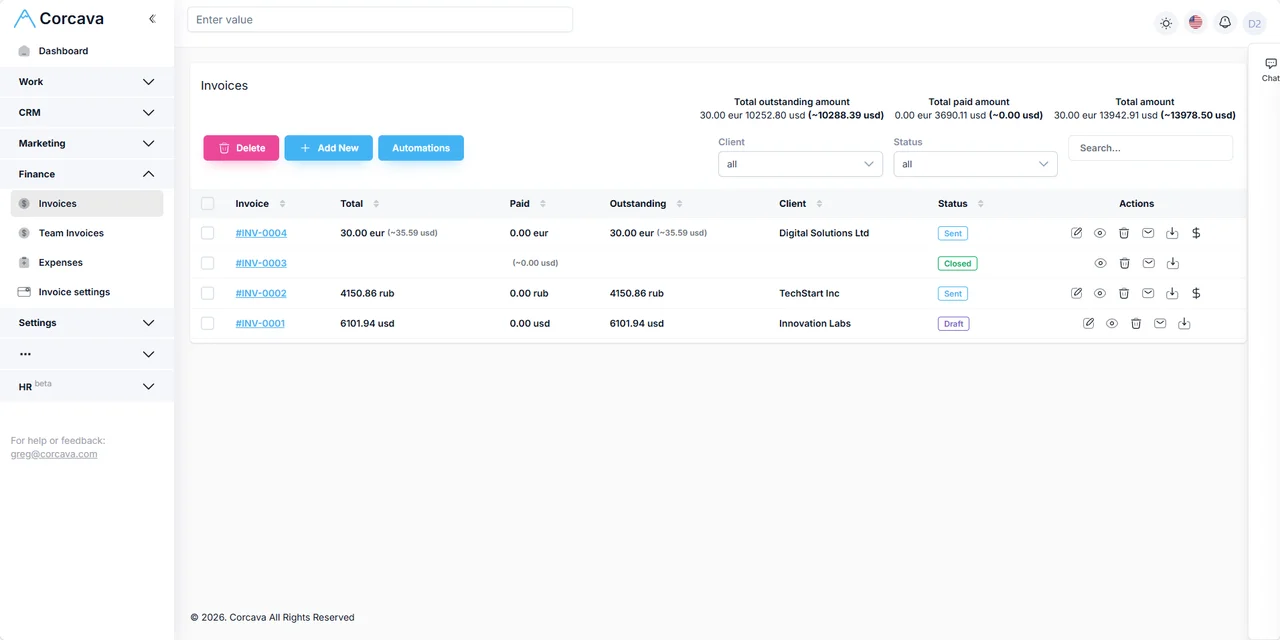
The Problem With International Billing
Every client, every currency, every tool. The process breaks.
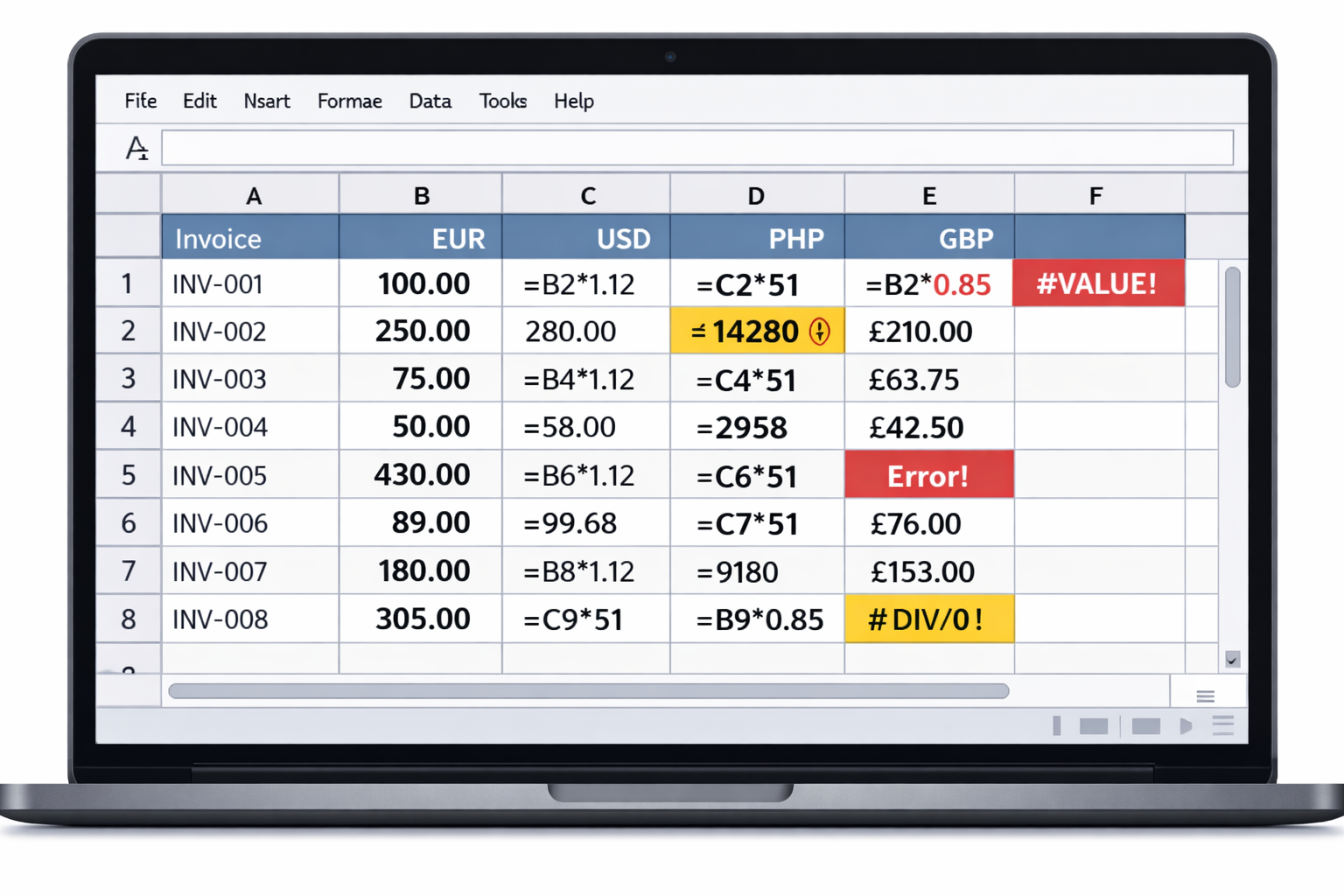
Billing international clients usually means:
- Juggling a time tracker that doesn't know about currencies
- Switching to an invoicing tool to re-enter hours
- Manually calculating exchange rates in a spreadsheet
- Waiting for bank wires or dealing with payment processor headaches
- Copying totals into another spreadsheet to see how much you actually earned
Corcava fixes this by connecting time tracking, invoicing, payments, and reporting in one platform. Multi-currency is built in, not bolted on.
How Multi-Currency Works in Corcava
Four steps from setup to getting paid. No spreadsheets required.
Set Your Base Currency
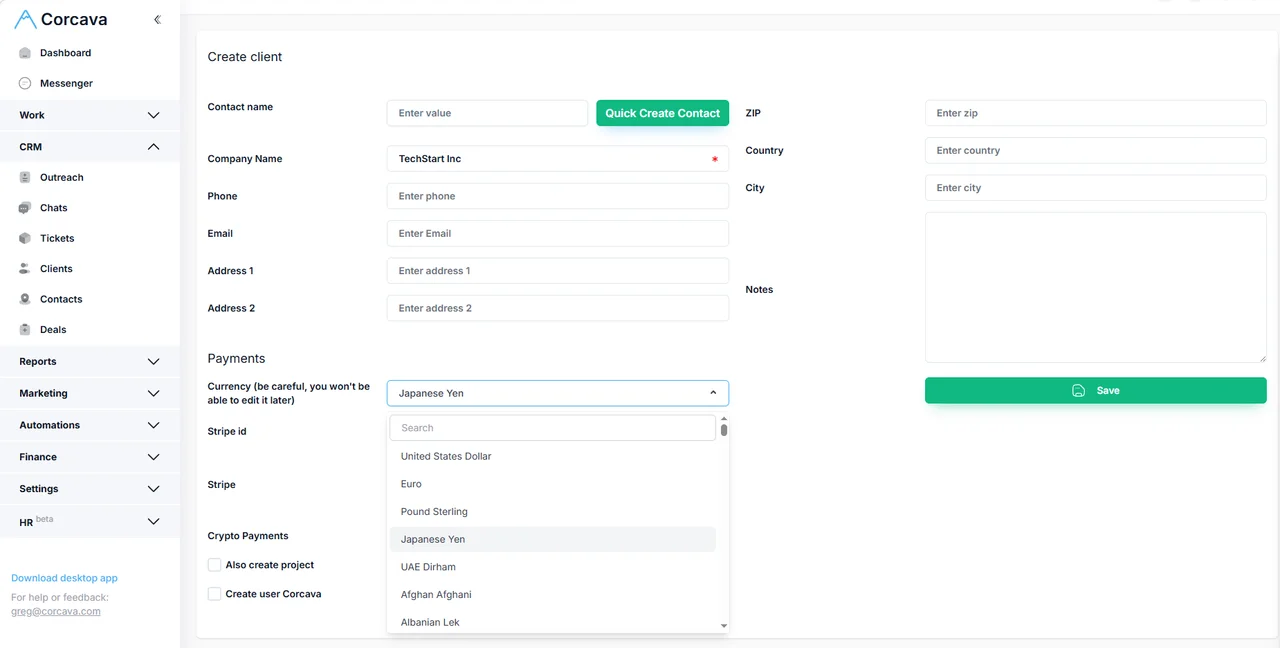
During sign-up, choose your team's base currency (e.g., USD). This becomes your reporting currency. All projects, invoices, and payments convert to this currency for consolidated views.
Add Clients in Any Currency
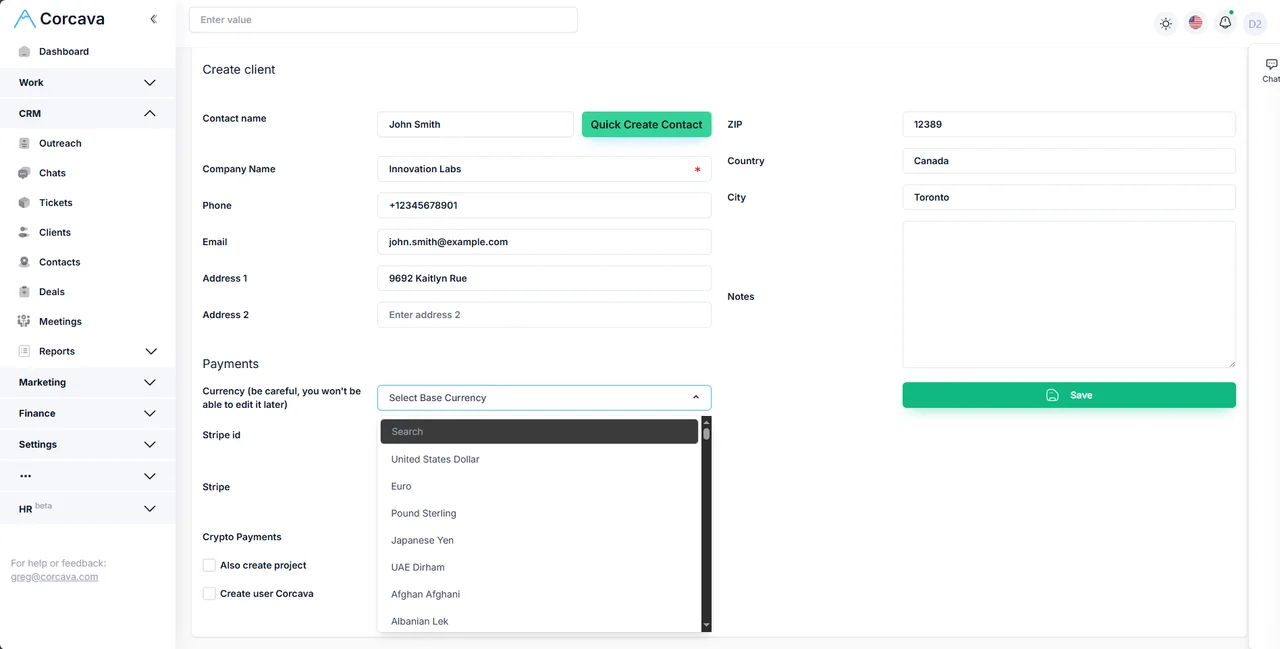
When you create a client, select their billing currency. EUR for your German client. GBP for your UK client. PHP for your Philippines-based client. Each client gets invoiced in the currency they expect.
Track Time, Generate Invoices
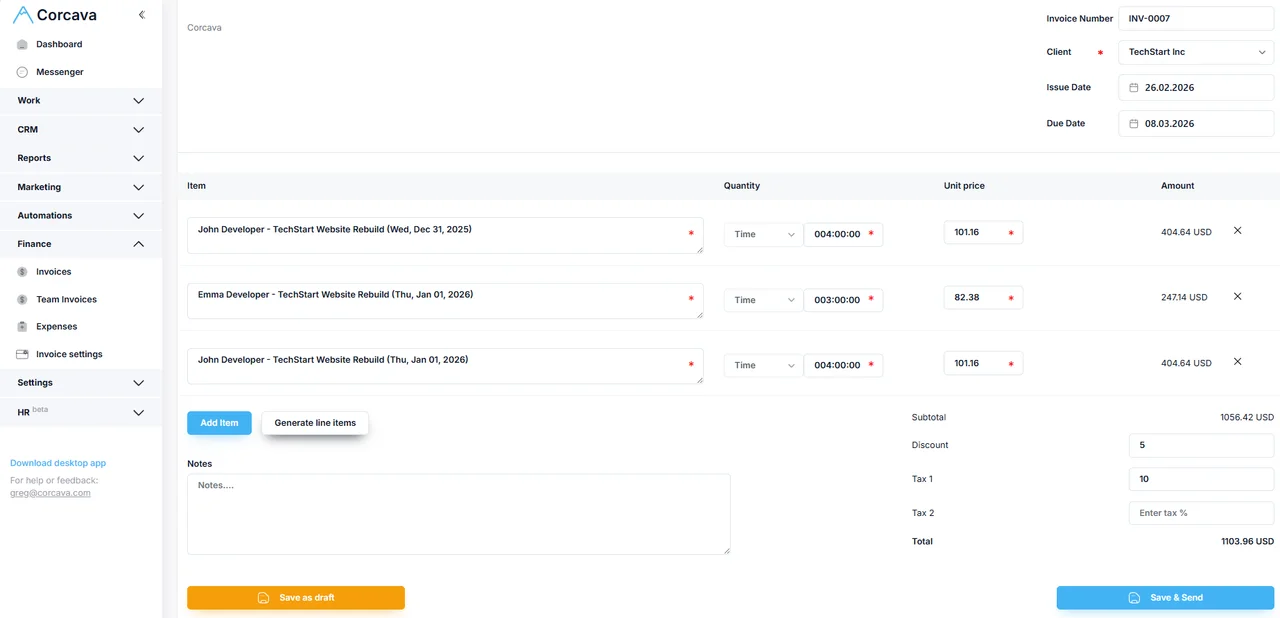
Track hours against projects and tasks. When ready, generate an invoice. Time entries become line items. The invoice displays in the client's currency with the exchange rate locked at creation.
Get Paid, See Reports
Clients pay via card or crypto. Payments auto-record. Your reports show totals in both the original currency and your base currency.
No credit card required
Key Benefits
Bill clients in their currency
Clients see familiar currency symbols. No confusion. No payment friction.
Consolidated reporting
Whether you billed in EUR, GBP, or JPY, see total revenue in your base currency.
Exchange rates locked
When you create an invoice, the exchange rate is stored. Historical totals don't shift.
Time flows into invoicing
Tracked hours become invoice line items. No re-keying. No copy-paste errors.
Card and crypto payments
Card and crypto payment options. Clients pick what works.
Dual tracking
Each invoice and payment shows both original currency and base currency equivalent.
Web, desktop, Android, iOS
Track time from anywhere. Generate invoices from any device.
One price, all features
$9/seat/month. Multi-currency, payments, reporting. No add-on fees.
What You Can Do Inside Corcava
Everything you need for multi-currency billing, in one platform.
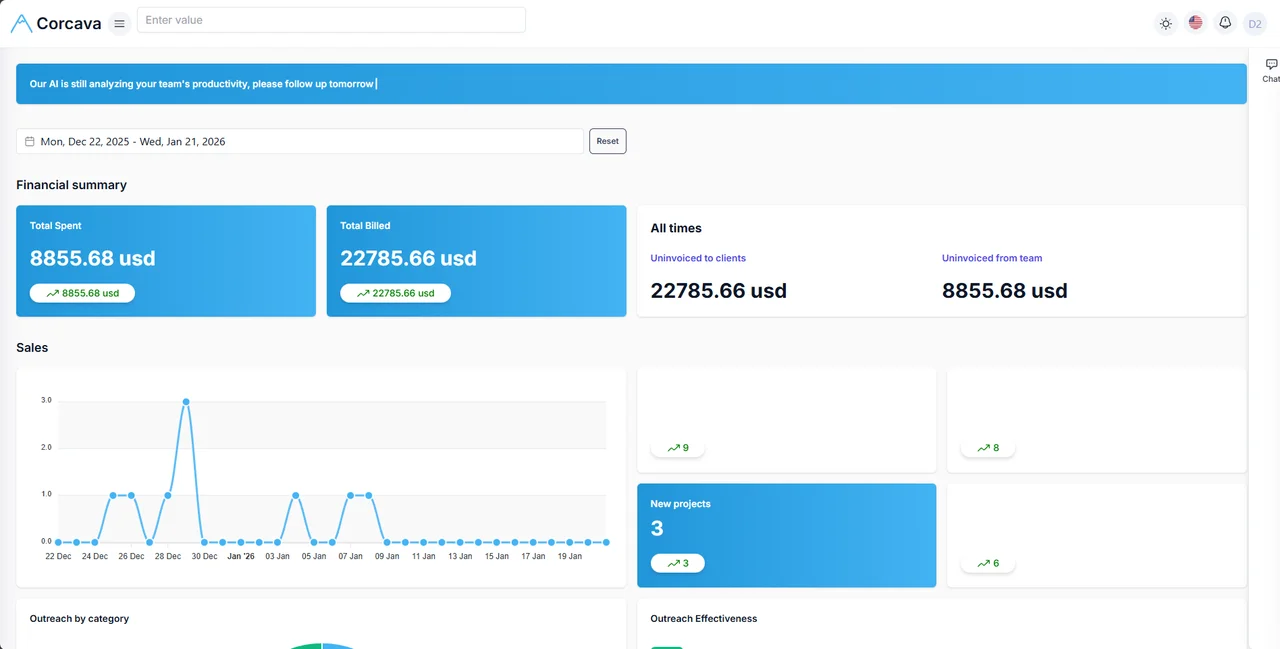
Payments That Match How Clients Pay
Different clients pay different ways. Corcava supports both.
Card Payments
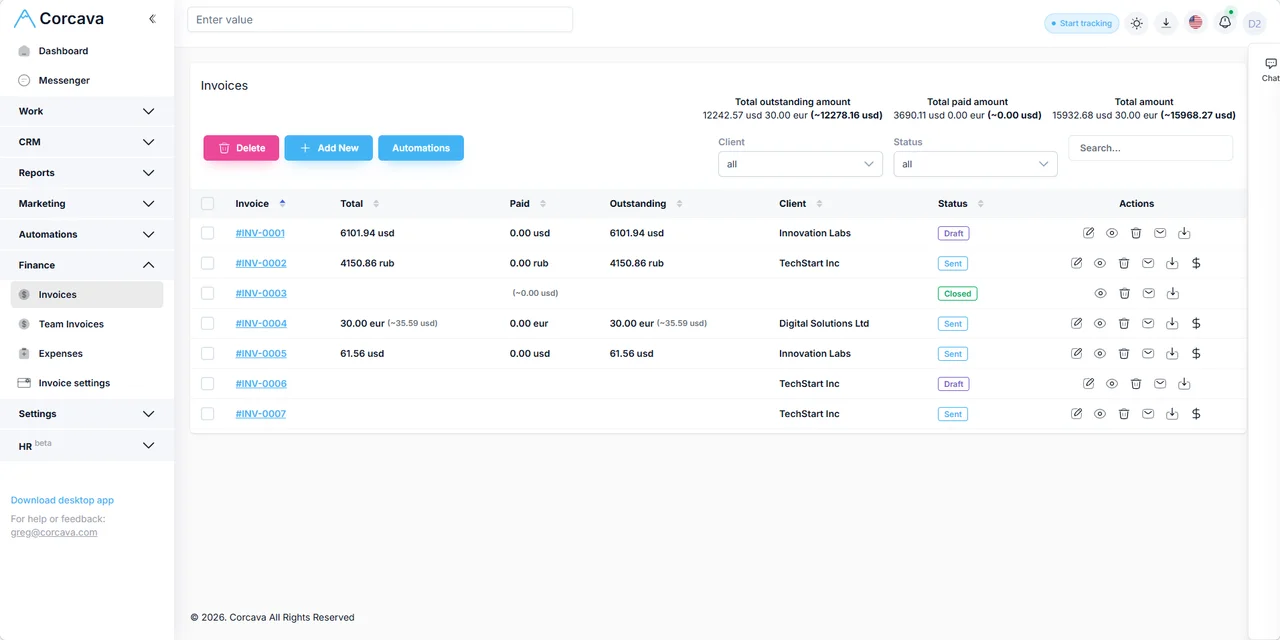
Connect your Stripe account (or another card gateway as we add more integrations). Clients click "Pay Now" on their invoice. Funds land in your balance. Invoice status updates automatically.
Crypto Payments
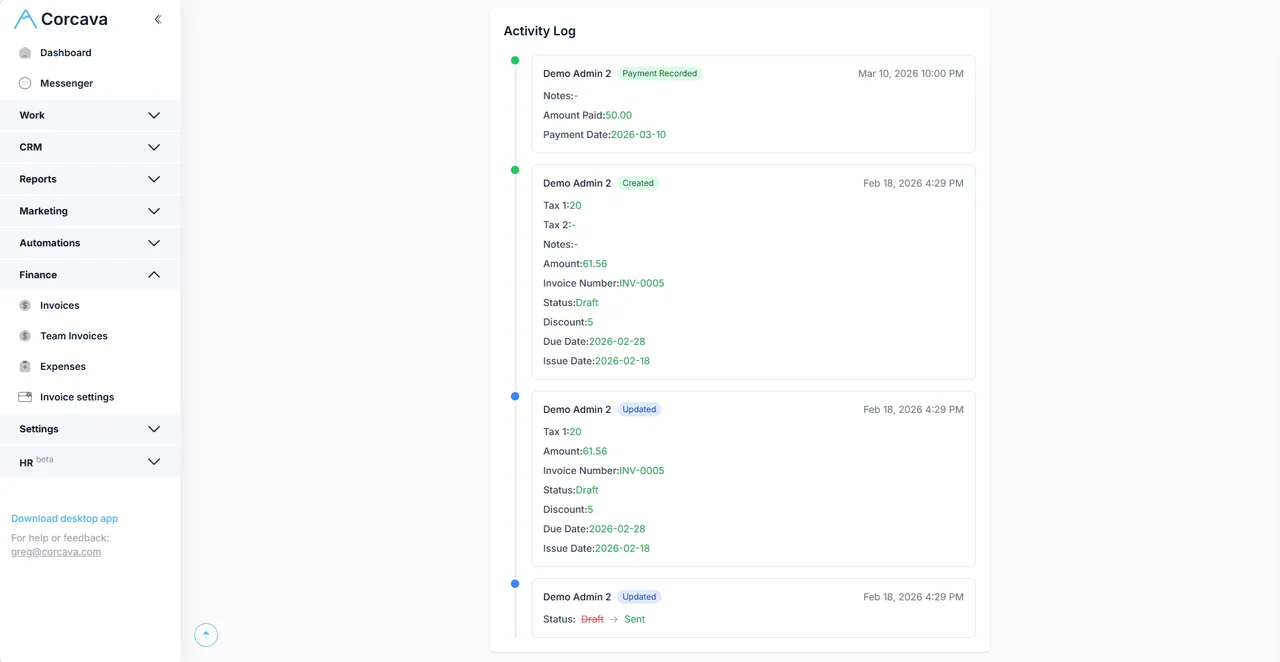
Some clients prefer crypto. Enable crypto payments to accept Bitcoin, Ethereum, USDT, USDC, and more. Clients scan a QR code. Blockchain confirms payment. Invoice marks paid.
Both options work with multi-currency invoicing. Bill in EUR, accept payment in crypto. Bill in USD, accept payment via card. The flexibility is yours.
Multi-Currency Reporting Without Spreadsheet Chaos
Stop exporting, converting, and hoping nothing breaks.
The typical approach:
- 1Export invoices from Tool A
- 2Export payments from Tool B
- 3Look up exchange rates for each date
- 4Build formulas to convert everything
- 5Hope nothing breaks when rates change
The Corcava approach:
- Every invoice stores its exchange coefficient at creation
- Every payment records both original amount and base currency equivalent
- Reports show consolidated totals automatically
- Historical data stays accurate because rates are locked
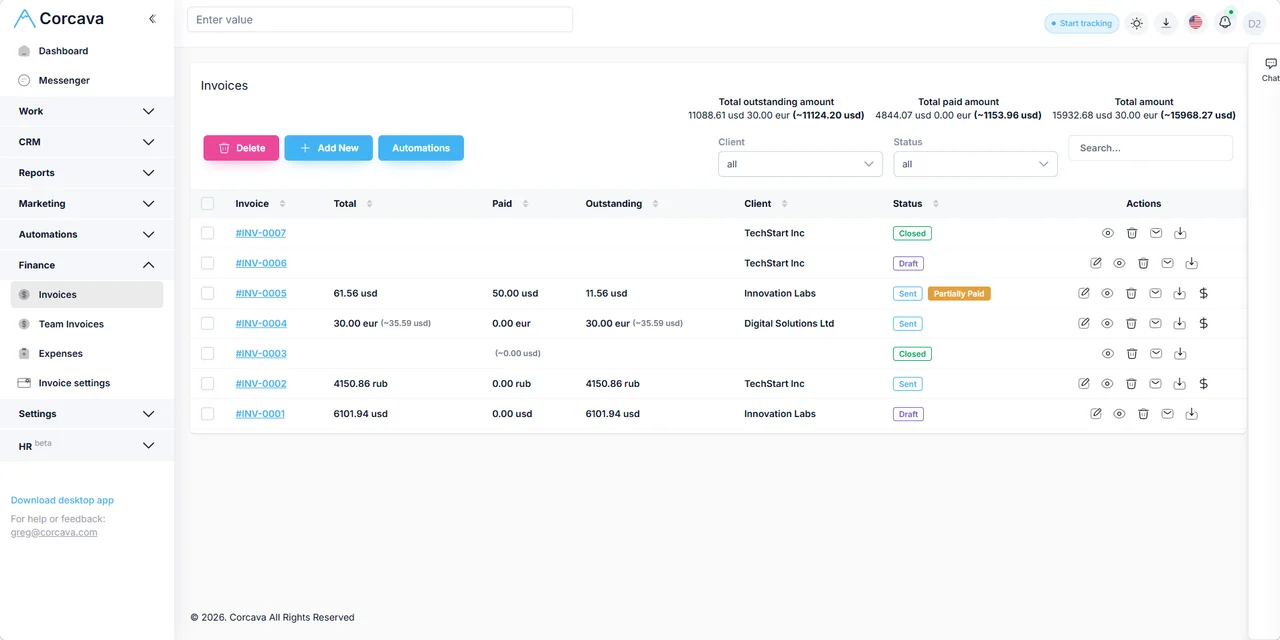
Example (Base currency: USD)
No spreadsheet needed.
Use Cases
Freelancers with International Clients
You're a designer in the UK billing clients in US, Europe, and Asia. Set GBP as your base currency. Bill the US client in USD, the German client in EUR, the Japanese client in JPY. Track time, send invoices, see total earnings in GBP.
Agencies Billing Across Regions
Your agency has clients in US, EU, UK, and MENA. Each client expects invoices in their local currency. Your finance team needs one consolidated view. Set your base currency. Add clients with their currencies. Run reports that roll everything up.
Small Service Teams Managing Contractors
You manage a distributed team paid in different currencies. Track contractor hours. Invoice clients in their currency. See profit margins in your base currency. One platform handles the flow.
Typical Stack vs. Corcava
| Need | Typical Stack | Corcava |
|---|---|---|
| Time tracking | Toggl or Harvest | Included |
| Multi-currency invoicing | FreshBooks or separate tool | Included |
| Card payments | Stripe (manual integration) | Card payments built-in |
| Crypto payments | Third-party gateway | Crypto payments built-in |
| Currency conversion | Spreadsheet + XE.com | Automatic |
| Consolidated reporting | Export + Excel formulas | Built-in |
| Monthly cost (solo) | ~$50-80/mo | $9/mo |
What you avoid:
Multiple logins. Manual data entry between tools. Spreadsheet currency conversions. Scattered payment tracking.
What Users Say
"I bill clients in EUR, USD, and AED. Before Corcava, I spent hours reconciling spreadsheets. Now I track time, send invoices, and see my total revenue in GBP automatically."
— S.M., Freelance Consultant, UK
[Placeholder testimonial]
"Our agency has clients across four continents. Multi-currency invoicing used to be a nightmare. Corcava simplified everything. One invoice list, clear totals, clients can pay by card or crypto."
— A.R., Agency Director, Dubai
[Placeholder testimonial]
"I work with web3 companies who prefer paying in USDT. Corcava is one of the few platforms that handles crypto invoices natively. Time tracking, invoicing, payments—all in one place."
— J.L., Developer, Portugal
[Placeholder testimonial]
Frequently Asked Questions
How do I set my base currency?
During sign-up, you choose your team's base currency. This is the currency used for consolidated reporting. Choose carefully; it cannot be changed later without contacting support.
Can I bill different clients in different currencies?
Yes. Each client can have their own billing currency. When you create an invoice for that client, it uses their currency automatically.
How are exchange rates determined?
Corcava uses Alpha Vantage for real-time exchange rates. When you create an invoice, the current rate is stored as an exchange coefficient. This locks the rate for that invoice.
Will my historical totals change when exchange rates fluctuate?
No. Exchange rates are locked at invoice creation. Your historical reports remain consistent.
What payment methods can clients use?
Card payments (e.g. via Stripe) and cryptocurrency. You can enable one or both. More integrations coming.
Do clients need a Corcava account to pay?
No. Clients receive an invoice link. They click "Pay" and complete payment via card or crypto. No login required.
What platforms does Corcava run on?
Web app, Windows, Mac, Linux desktop apps, and Android and iOS mobile apps.
How much does Corcava cost?
$9 per seat per month. All features included. Multi-currency, payments, time tracking, invoicing, reporting.
Is there a free trial?
Yes. 14-day free trial. No credit card required to start.
What if I need to change my base currency later?
Contact support. Base currency changes require a migration to update all existing records.
Start Your Free Trial
Track time in any project. Invoice clients in any currency. Get paid via card or crypto. See reports in your base currency.
One platform. One subscription. Multi-currency built in.
Start Free Trial14-day free trial. No credit card required. $9/seat/month after trial.