
Professional services automation software for smaller billable teams
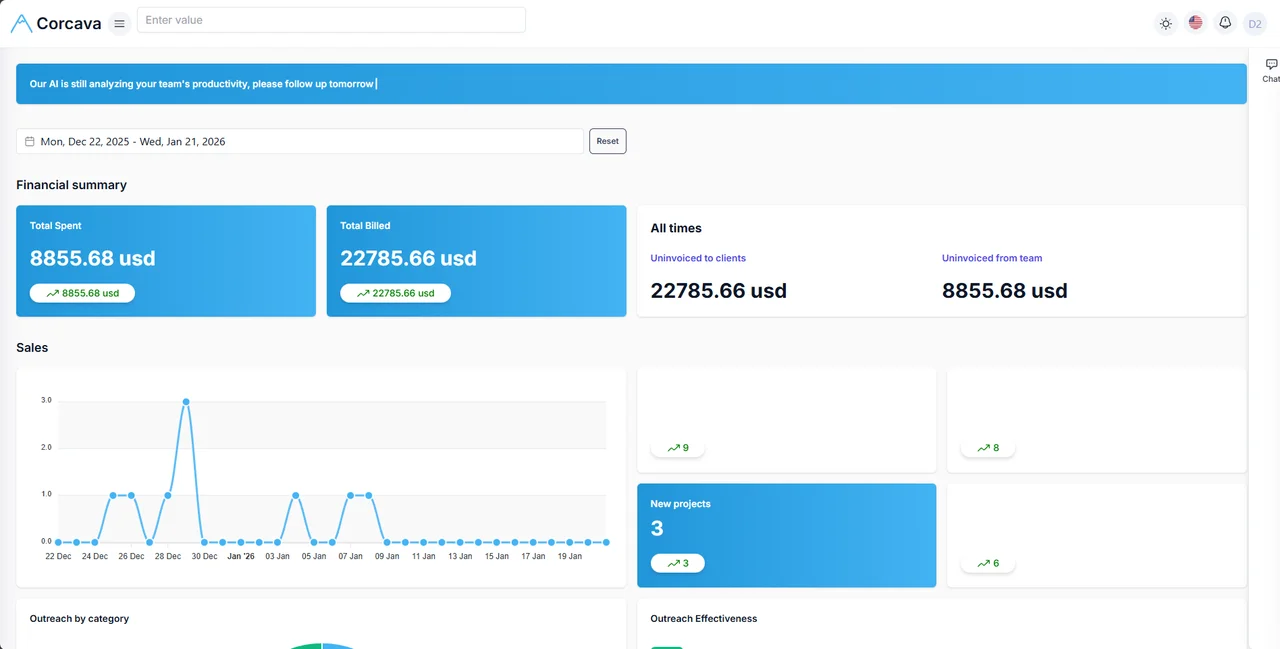
PSA (professional services automation) connects the commercial and delivery lifecycle of client work — CRM, projects, time, invoicing, client access, and operational reporting on one record instead of four disconnected subscriptions.
Built for agencies, consultancies, and service teams under roughly 50 people who need lead-to-invoice visibility without enterprise ERP complexity.
No credit card required · $9/user/month, all features included · Operational PSA, not accounting or MSP tooling
What is professional services automation?
Professional services automation is software that runs the operational lifecycle of billable client work: winning the engagement, delivering it, capturing time and costs, billing the client, and reviewing whether the work was financially healthy. PSA sits between a generic project manager (delivery only) and accounting software (books and tax) — it is the connected operating layer service businesses live in day to day.
Plain-language definition: PSA software keeps the client, project, tracked work, invoice, and financial signals on one operational record so your team does not re-enter the same context across CRM, task, time, and billing tools.
Who PSA is for
Corcava targets smaller professional-services teams, not enterprise IT service desks.
Digital & marketing agencies
Retainers, campaign delivery, and client visibility on connected projects. See digital marketing agency ops or agency management.
Consultancies
Deal-to-delivery handoff, billable time, and engagement economics. See consulting software.
Creative & design teams
Milestone delivery with client-visible progress. See creative agencies.
Dev shops
Sprints, tracked hours, and milestone billing on one client record.
Hybrid Upwork + direct clients
Platform contracts beside direct work in one reports view. See Upwork integration.
Billable service teams
Time-to-invoice discipline without spreadsheets. See billable work.
Not designed for
- ✗MSPs needing RMM, device management, or ITSM/service-desk workflows
- ✗Enterprises requiring mature ERP, revenue recognition, or resource forecasting
- ✗Companies that need a full general ledger or tax engine (use accounting software alongside Corcava)
- ✗Product-only companies with no billable client delivery
The Corcava PSA workflow
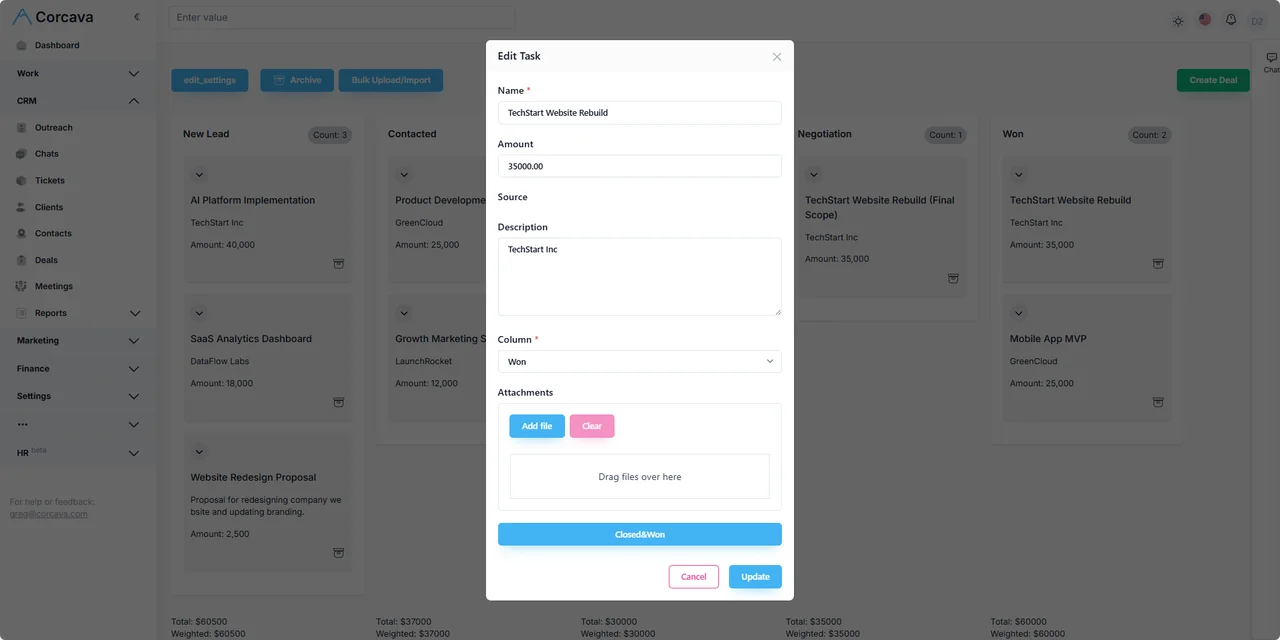
Eight connected stages. Manual handoffs are labelled — Corcava does not silently auto-create projects or invoices unless you configure recurring billing.
1 · Manual or inbound
Capture the lead
Add contacts from outreach, referrals, or forms. See outreach.
3 · User-triggered
Create the project
You create the engagement project when the deal closes — same client context, no re-entry.
6 · User-triggered
Invoice the client
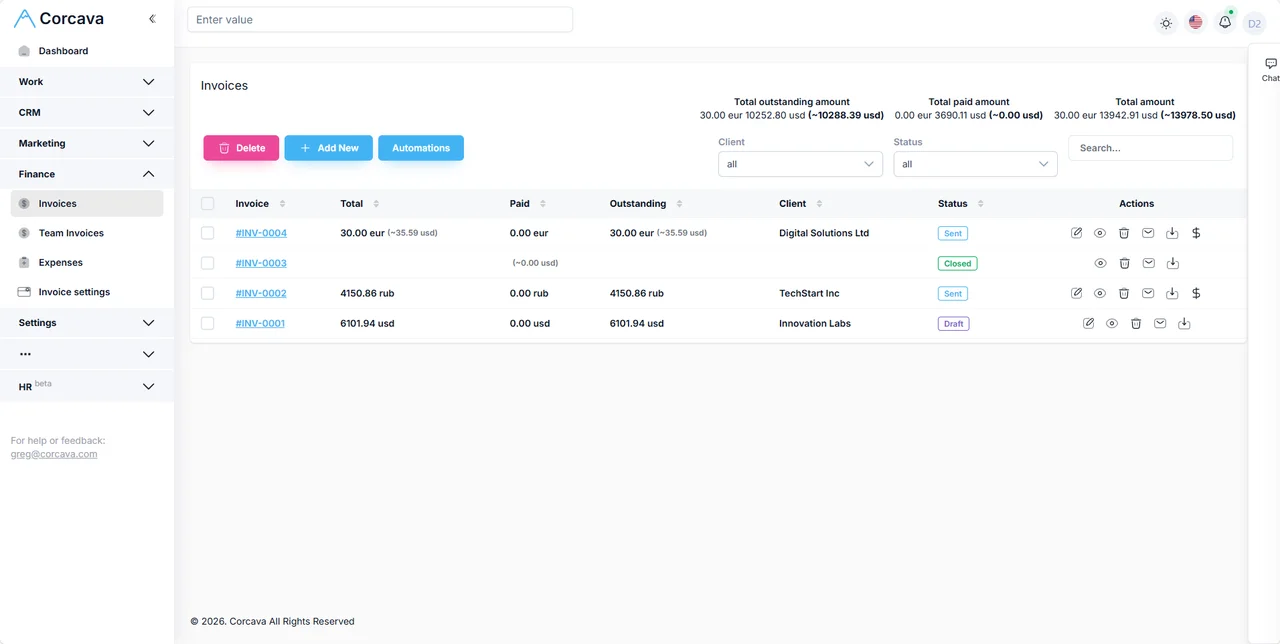
From tracked time, milestones, or recurring schedules. See invoicing.
8
Review economics
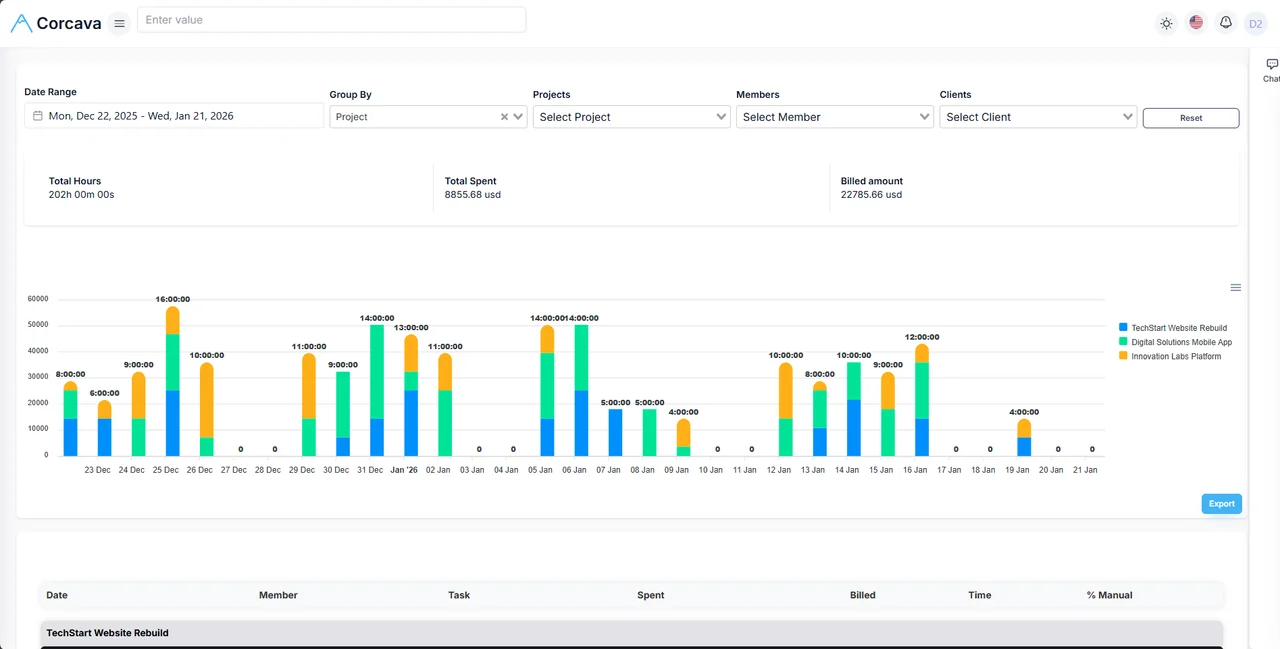
Spent vs billed, uninvoiced work, and ledger activity in reports + Project Finances.
PSA capability map
| PSA responsibility | Corcava capability | Learn more |
|---|---|---|
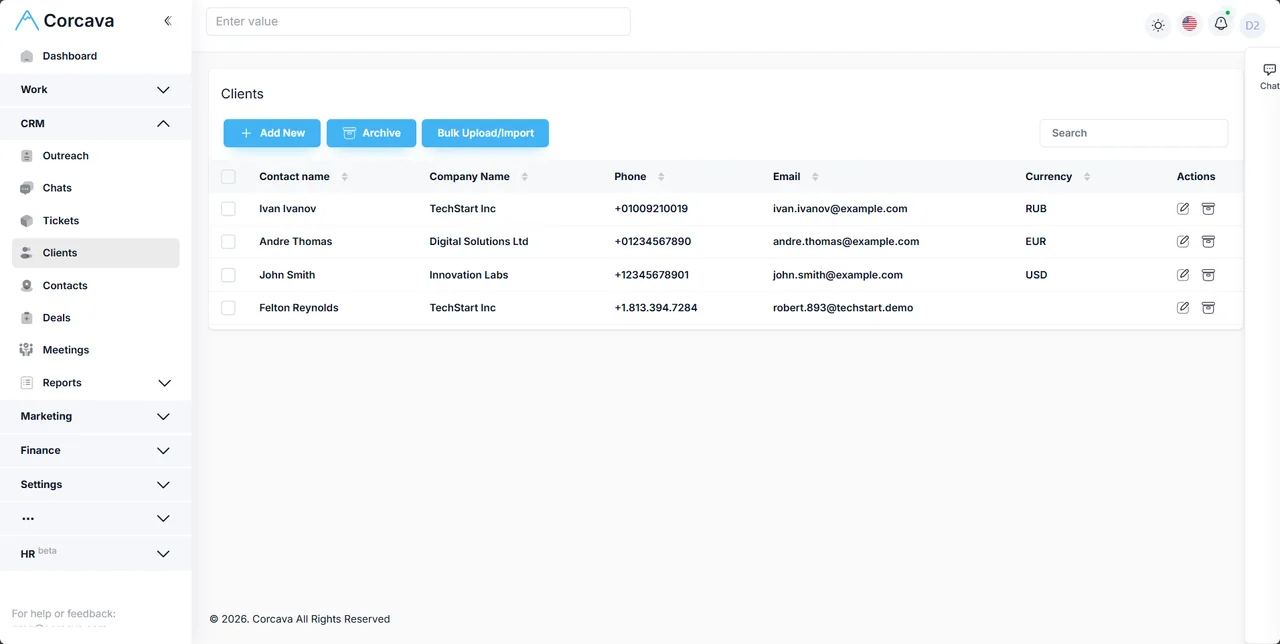
| Sales / client record | CRM, contacts, deals, inbox | CRM, deals |
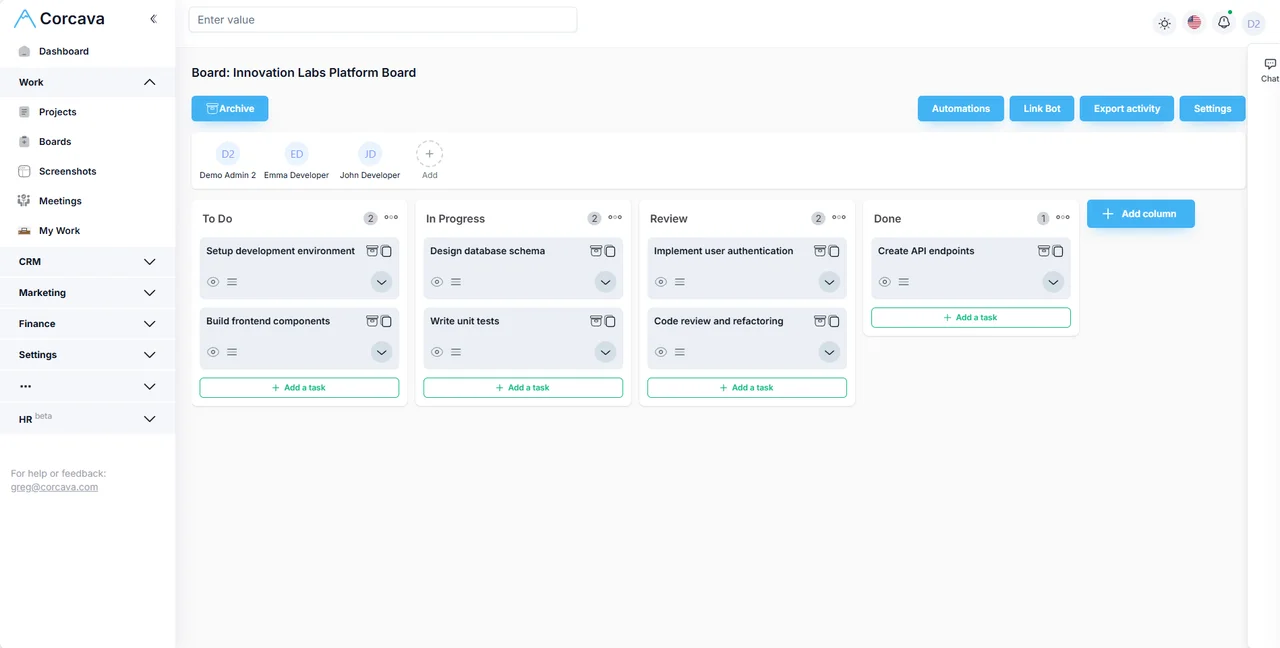
| Delivery | Projects, boards, tasks | Project management |
| Labor / time | Time tracking, pay & bill rates | Time tracking |
| Financial operations | Invoices, expenses, Project Finances | Invoicing, Project Finances |
| Client access | Branded client portal | Client portal |
| Reporting | Operational & financial reports | Reporting |
| Acquisition channels | Outreach, Upwork sync | Outreach, Upwork |
| AI assistance | Ad-hoc questions on live work data | AI assistant |
Worked example: 11-person agency replaces four tools
Illustrative scenario. A product design agency consolidates CRM, task manager, time tracker, and invoicing into Corcava for a $22,000 fixed-fee engagement plus hourly change requests.
| Stage | Action | Replaces |
|---|---|---|
| Lead | Inbound referral added to CRM pipeline | Standalone CRM |
| Won deal | $22k fixed-fee project created manually from deal | Re-typing scope in PM tool |
| Delivery | Design + dev tasks on shared board; client sees milestones in portal | Separate task app + status email |
| Time | 186 internal hours logged; 14 h OOS change-request work | Standalone time tracker |
| Invoice | $11k milestone + $2,800 OOS invoice sent | Separate invoicing app |
| Review | Owner checks spent vs billed and Project Finances before final milestone | Margin spreadsheet |
PSA versus adjacent categories
PSA vs project management
PM tools organize tasks. PSA adds client commercial context, billable time, invoicing, and financial visibility on the same record.
PSA vs CRM
CRM tracks pipeline and relationships. PSA extends through delivery, billing, and post-invoice economics — see CRM + project management.
PSA vs ERP
ERP covers company-wide finance, inventory, and HR. Corcava PSA focuses on client-service operations for smaller teams, not enterprise resource planning.
PSA vs accounting software
QuickBooks and Xero own the general ledger. Corcava connects time, invoices, and project finances operationally — then you hand finalized figures to accounting.
PSA vs MSP PSA / RMM
MSP tools manage devices, tickets, and recurring IT contracts. Corcava is for agencies and consultancies delivering billable projects — not remote monitoring or service-desk operations.
Why smaller teams choose Corcava as PSA
- ✓One integrated record instead of Zapier chains between CRM, PM, time, and billing
- ✓$9/user/month with features included — no per-module upsells for portal, time, or invoicing
- ✓Client portal for self-service progress and invoices
- ✓Multi-currency client billing and operational reporting
- ✓Upwork + direct clients in one operational view
- →AI assistant for ad-hoc questions on live work data — a supporting differentiator, not the primary PSA story
Frequently asked questions
What is PSA software?
Professional services automation software connects client sales, project delivery, time capture, billing, client visibility, and operational reporting for billable service businesses.
What is the difference between PSA and project management?
Project management focuses on tasks and deadlines. PSA adds CRM context, billable time, invoicing, client portal access, and financial review on the same client record.
Is Corcava suitable for consulting firms?
Yes. See consulting practice management for the engagement-specific workflow.
Does Corcava include resource planning?
Corcava offers weekly target hours and workload signals, not enterprise resource forecasting, skills-based staffing, or capacity optimization. It is operational PSA, not full resource-management software.
Does Corcava replace accounting software?
No. Corcava handles operational PSA workflows. Tax, GAAP reporting, and your general ledger remain in accounting software.
Can Corcava manage both Upwork and direct clients?
Yes. Upwork contracts sync alongside direct-client projects for unified time, reporting, and billing context. See the Upwork integration.
Is Corcava suitable for MSPs?
No. MSPs needing RMM, device management, or ITSM should evaluate MSP-specific PSA tools. Corcava targets project-based agencies and consultancies.
How much does Corcava cost?
$9 per user per month with all features included and a 14-day free trial. See pricing for current details.
Related solutions & guides
Agency management
Lead-to-invoice workflow for agency teams
Consulting software
Practice workflow for consultancies
CRM + invoicing
Client lifecycle from contact to payment
CRM + project management
Deal-to-delivery continuity
Project Finances
Financial visibility per engagement
Profitability calculator
Model margin before quoting
Lead-to-invoice guide
Eight-stage client workflow
Creative agencies
Production-focused delivery workflow
Billable work
Time-to-invoice for service businesses
Run client work on one PSA record
CRM, delivery, time, invoicing, and financial visibility for smaller professional-services teams.
Start free 14-day trial →No credit card required