
Client operations · Onboarding
Client Onboarding Template and Workflow
Updated
Turn a signed agreement into a project that is ready to start. Use this checklist to confirm the brief, collect inputs, verify access and agree how the client will hear from you.
Download the blank onboarding checklist
A printable PDF for recording client details, actions, owners, dates and readiness checks. The copyable version and completed example are below.
Download PDFFree download. No email required.
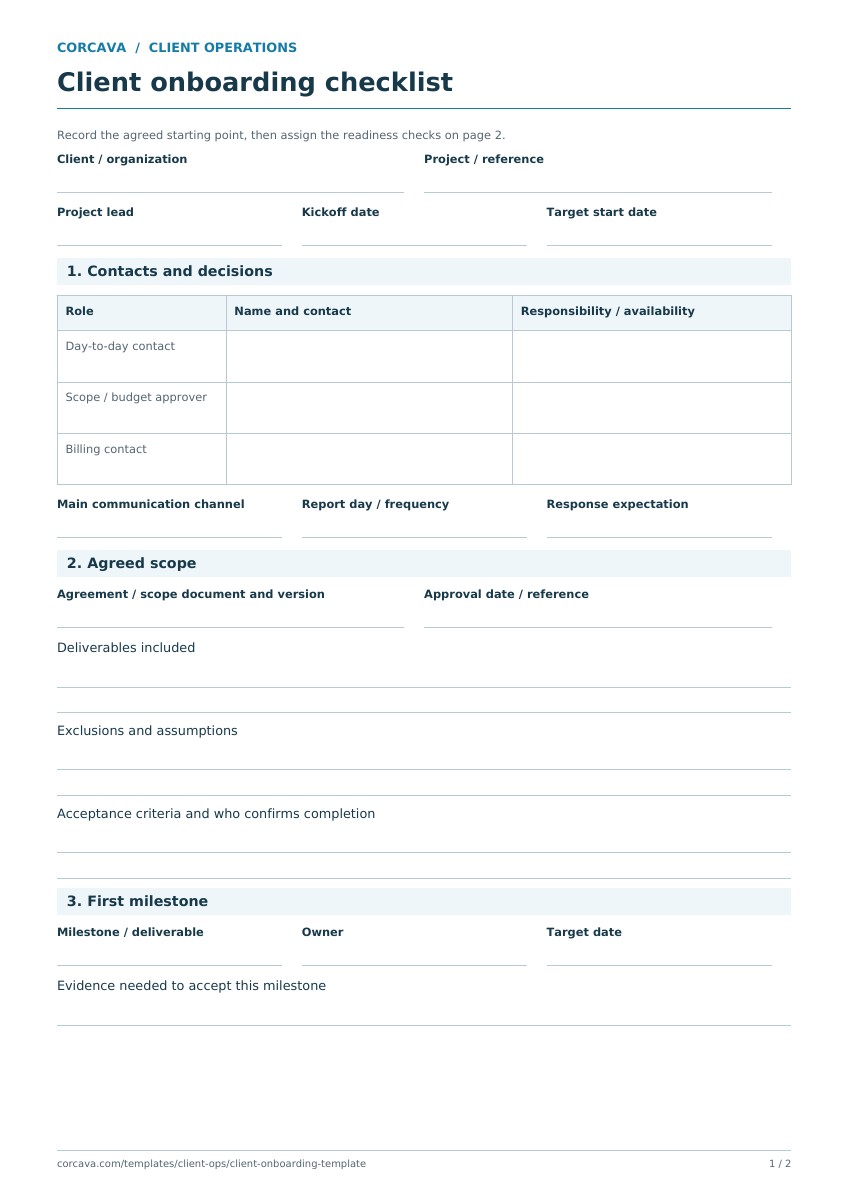
A client onboarding workflow with four clear handoffs
| Action | Record | Complete when |
|---|---|---|
| 1. Confirm the brief and approver | Agreed deliverables, exclusions, approval contact and billing terms | The delivery team and client share the same scope and decision process. |
| 2. Receive the required inputs | Asset list, file locations and outstanding items | The team has checked that the files are usable. |
| 3. Verify access | System, access owner and verification result | The person doing the work can access the right environment. |
| 4. Agree the reporting cadence | Coordinator, audience, channel, frequency and first review | Everyone knows where updates and decisions will be recorded. |
Assign a coordinator to each action even when the client supplies the input. If an asset or permission is missing, record the blocker and its effect on the first milestone before confirming the start date.
Copy the onboarding checklist
CLIENT ONBOARDING
Client / project: [name]
Delivery coordinator: [name]
Client approver and contact: [name / contact]
Agreed scope and exclusions: [summary / agreement reference]
First milestone and target date: [outcome / date]
Billing contact and agreed terms: [contact / terms]

ACTION | OWNER | DUE DATE | STATUS | COMPLETION EVIDENCE
Confirm brief and approver | [...] | [...] | [...] | [...]
Receive required assets | [...] | [...] | [...] | [...]
Verify required access | [...] | [...] | [...] | [...]
Agree reporting cadence | [...] | [...] | [...] | [...]

Update audience / channel / frequency: [...]
First review: [date]
Missing inputs and impact: [...]
Ready to start? [yes / no, reason]
Checked by / date: [...]
Completed example: Northstar Website Launch
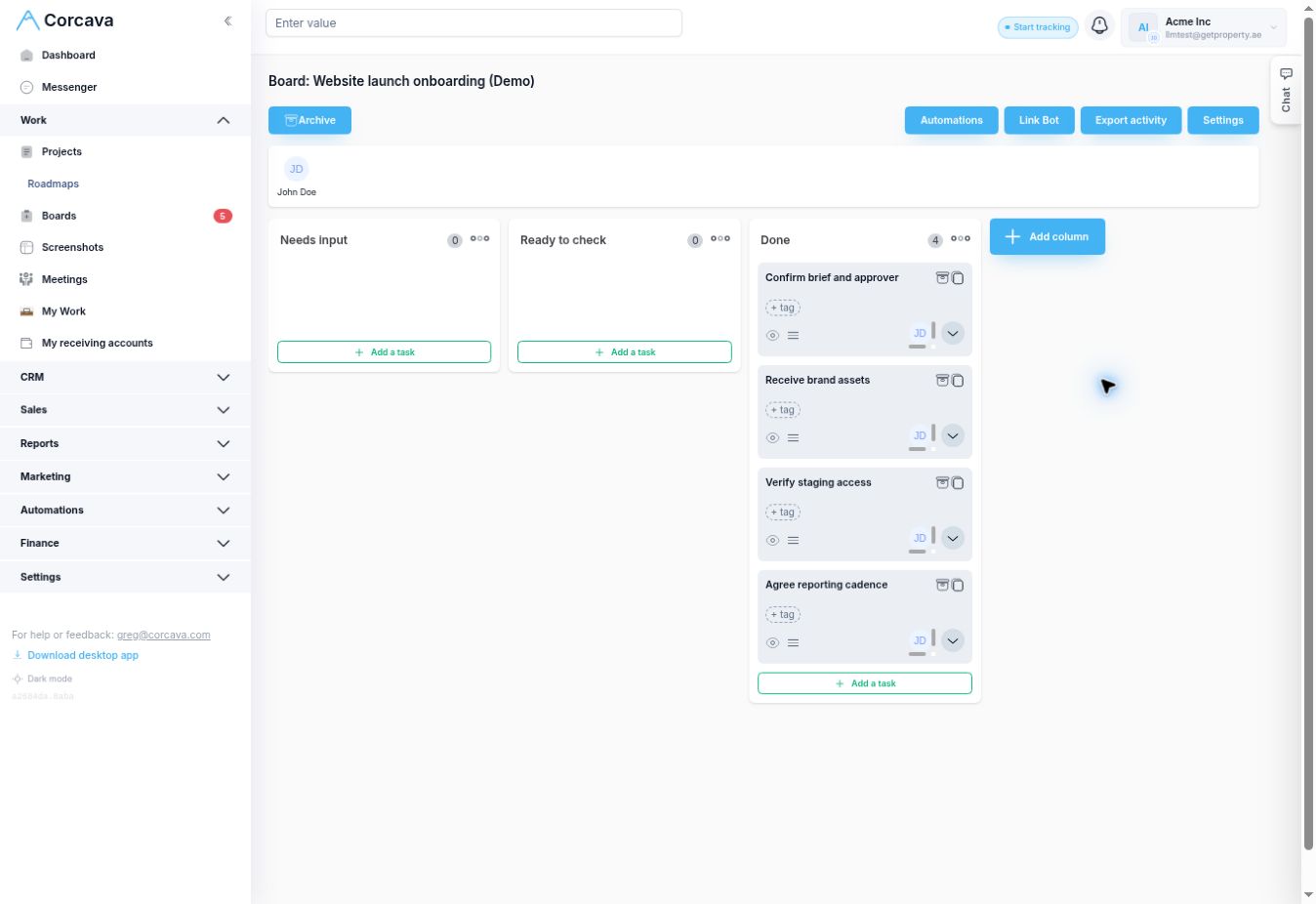
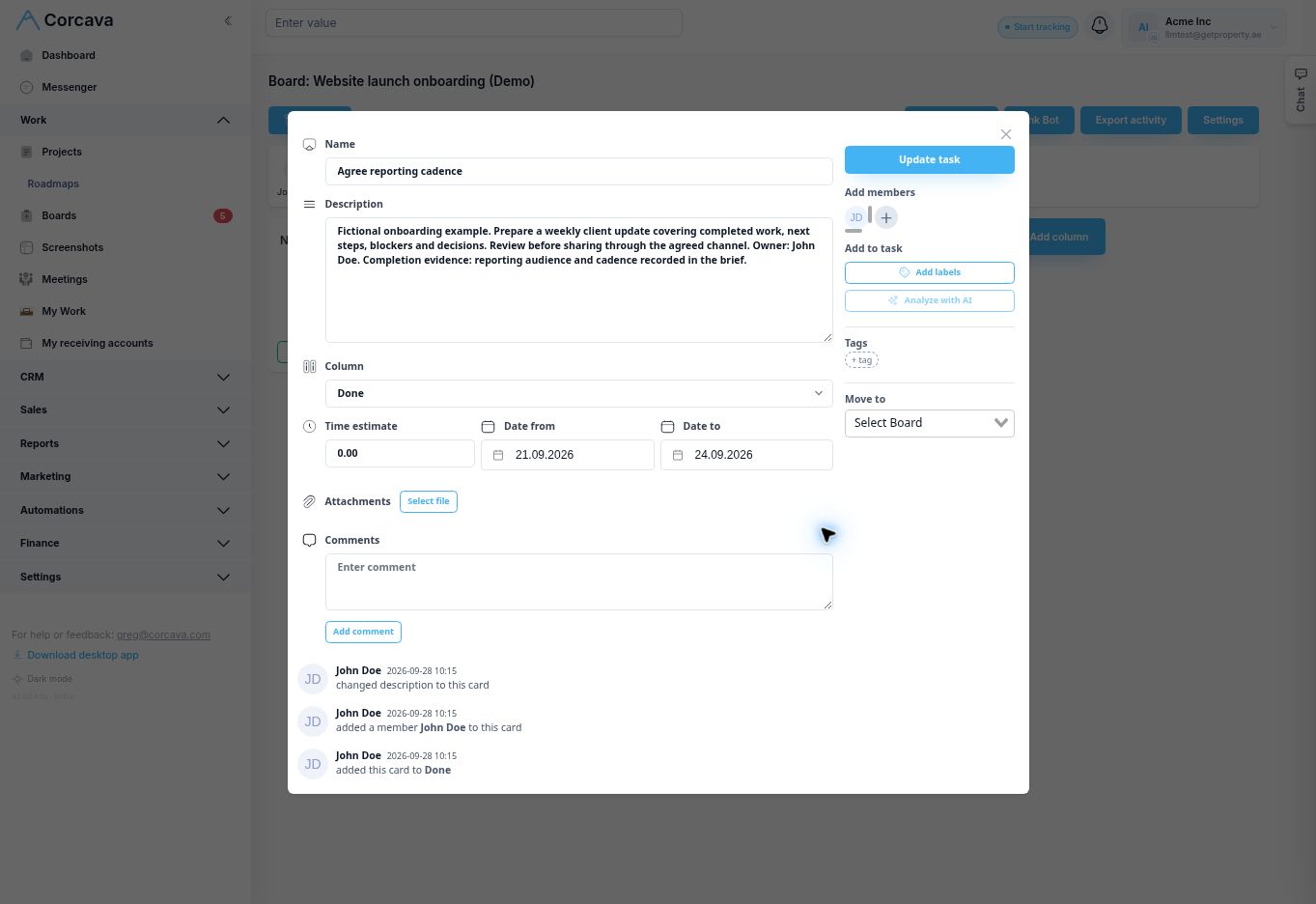
This fictional engagement uses demo records in Corcava. As of September 28, 2026, its four onboarding actions are complete. John Doe coordinates each action; that ownership does not make him the client’s approver.
| Action | Owner | Due date | Status |
|---|---|---|---|
| Confirm brief and approver | John Doe | Sep 21, 2026 | Done |
| Receive brand assets | John Doe | Sep 22, 2026 | Done |
| Verify staging access | John Doe | Sep 23, 2026 | Done |
| Agree reporting cadence | John Doe | Sep 24, 2026 | Done |
Onboarding completion does not mean delivery is complete. Northstar’s delivery roadmap is at 4 of 6 tasks, or 67%. John still coordinates the enquiry-form test due October 2 and launch approval due October 9. The project status report explains the remaining work.
A welcome email you can adapt
Subject: Getting started on [project]

Hi [client name],

I’m [name], your delivery coordinator. Our first milestone is
[outcome], targeted for [date].

To get started, please confirm the approval contact and share
[required inputs] by [date]. We’ll arrange access through
[agreed invitation or access process].

We’ll send updates through [channel] every [cadence]. Our first
review is [date]. New requests will be assessed for scope,
cost and timing before we agree to add them.

Please reply if any input or date needs to change.
Thanks,
[name]
This is an editorial email draft for you to send; it is not an automated Corcava email sequence.
Track the checklist in Corcava
Create the onboarding tasks, add the expected result to each description, assign the coordinator and set a due date. Move a task to the completed column after checking its result. Review outstanding inputs before starting the next delivery phase.
Use the project roadmap walkthrough for delivery progress, the weekly report for the client update, and the change request form when new work needs a decision. Prepare and share those written summaries separately.
Frequently asked questions
What should a client onboarding checklist include?
Record the agreed scope, client decision maker, delivery coordinator, required assets, access arrangements, reporting cadence and first milestone. Give every action an owner, due date and clear completion condition.
When is onboarding complete?
When the team has the agreed brief, knows who can approve work, has received the required inputs and can use the access it needs. Sending an invitation or requesting a file is not the same as confirming it works or has arrived.
Does this template send emails or create tasks automatically?
No. The PDF and copyable sections are planning tools. Create the tasks, assign people and dates, and send the welcome message yourself. The example uses ordinary Corcava tasks to track the checklist.
Where should I store client passwords?
Use the client’s access invitation process or an agreed password manager. Keep the system name, access owner and verification result in this checklist, rather than copying passwords into a report or task description.
Before onboarding, document the agreement with the scope of work template. For the kickoff conversation, use the project kickoff checklist.