Delivery & Reporting

Project Status Report Template

A complete project status report template built around the six things every stakeholder actually wants to know: overall health (RAG status), milestone progress, budget and hours burn, risks, decisions needed, and what happens next. Includes a fully filled example, internal and client-facing variants, and guidance on cadence.

What You'll Get

  • RAG health status — One green/amber/red verdict per dimension: schedule, budget, scope
  • Milestone tracker — Every milestone with target date, actual date, and status
  • Budget & hours burn — Spent vs planned, with a burn-rate warning threshold
  • Risk register — Risks with impact, likelihood, mitigation, and an owner
  • Decisions needed & timeline — What you need from stakeholders, and what happens next period
  • Filled example — A realistic web project report, amber status and all, so you can see what good looks like

Download the Template

Get the project status report template in PDF format.

No email required. Free to use and share.

The Complete Project Status Report Template (Copy This)

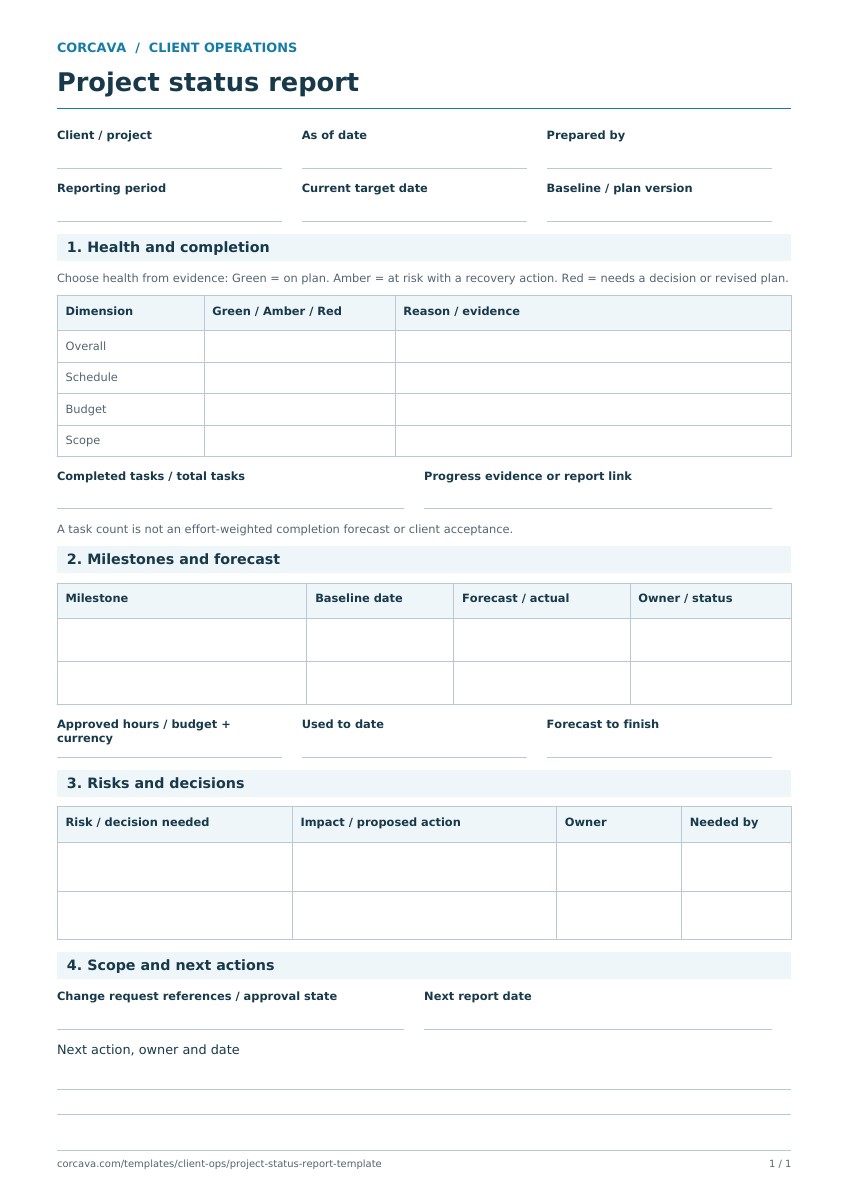
Six sections, in the order stakeholders read them: verdict first, evidence after. Copy the structure into your doc tool, or use the plain-text version below the preview.

1. Header & Project Health (RAG)
Project name & client
Date, or period covered
PM / project lead
Dimension Status One-line reason
Overall Green Amber RedWhy, in one sentence
ScheduleGreen / Amber / Redvs milestone plan
BudgetGreen / Amber / Redvs hours & spend plan
ScopeGreen / Amber / Redchange requests, creep pressure

Rule of thumb: Green = on plan. Amber = off plan, recovery path known and in motion. Red = off plan, needs a stakeholder decision to recover. Amber is not "green with anxiety"—if you're using the amber row to soften bad news, the report has failed.

2. Milestones
Milestone Target date Actual / forecast Status
Milestone namePlanned dateDone date, or new forecastDone / On track / At risk / Late
One row per milestone — include the done ones; they're your credibility.
3. Budget & Hours Burn
Hours Budget
Hours Used
% Burned
% Work Complete

The comparison that matters is the last two numbers against each other. Burned 60% of hours but completed 40% of the work? That's the earliest honest signal a project gives before it goes over—report it, don't bury it.

4. Risks & Issues
Risk / issue Likelihood Impact Mitigation Owner
What could go / has gone wrongLow / Med / HighLow / Med / HighWhat's being done about itA name

A risk is upcoming trouble; an issue is trouble that already arrived. Both live here. A risk without an owner and mitigation is just a worry with a table row.

5. Decisions Needed
  • 1. The decision, who must make it, by what date, and what it blocks if it slips
  • 2.
6. Timeline & Next Period
  • Key accomplishments this period (3–5 bullets, specific)
  • Planned for next period, with the next milestone date
  • Any change to the overall end date — stated plainly, even (especially) if it moved

Plain-text version to copy

PROJECT STATUS REPORT
Project: __________  Client: __________
Period: __________  Prepared by: __________

1. HEALTH
Overall:  [G/A/R] — one-line reason
Schedule: [G/A/R] — vs milestone plan
Budget:   [G/A/R] — vs hours/spend plan
Scope:    [G/A/R] — change requests, creep pressure

2. MILESTONES (one line each)
[Milestone] | target: ____ | actual/forecast: ____ | Done / On track / At risk / Late

3. BUDGET & HOURS
Hours budget: ____  Used: ____  Burned: ____%  Work complete: ____%
Spend budget: ____  Spent: ____
Note if burn % is ahead of completion %.

4. RISKS & ISSUES (one line each)
[Risk/issue] | likelihood: L/M/H | impact: L/M/H | mitigation: ____ | owner: ____

5. DECISIONS NEEDED
1. [Decision] — needed from ____ by ____ — blocks ____

6. TIMELINE & NEXT PERIOD
Done this period: ...
Next period: ...
Project end date: ____ (unchanged / moved from ____)

Filled Example: Web Project, Week 6 of 10

An honest amber report for a fictional but realistic engagement—a marketing site rebuild running slightly hot on hours. Note what makes it work: the amber verdict comes with a recovery path, the burn numbers are compared, and the decisions section asks for something specific with a date.

Header & Health — Northwind Website Rebuild, Jul 6–10, 2026
Overall AmberDesign overran; launch date holds if the copy decision lands this week
Schedule AmberDesign approved 4 days late; build started with reduced buffer
Budget Amber63% of hours burned vs 55% of work complete (details below)
Scope GreenThird homepage concept handled as approved change order CO-01
Milestones
Milestone Target Actual / forecast Status
Discovery & wireframesJun 5Jun 5Done
Design approvedJun 26Jun 30Done (4 days late)
Build complete on stagingJul 17Jul 20At risk
Content loaded & QAJul 24Jul 24At risk (blocked by copy)
LaunchJul 31Jul 31On track (no buffer left)
Budget & Hours Burn
Hours Budget
160 hrs
Hours Used
101 hrs
% Burned
63%
% Work Complete
55%

Design consumed 52 hrs against a 40 hr estimate (+12, of which 8 are covered by change order CO-01). Build is tracking on estimate so far. Forecast at completion: 168–172 hrs; the 4–12 hr overage is absorbed by the contingency line unless a further change lands.

Risks & Issues
Risk / issue Likelihood Impact Mitigation Owner
Final page copy not delivered (due Jul 14)MedHighBuild proceeds with draft copy; hard cutoff Jul 21 or QA slips a weekClient (D. Reyes)
CMS plugin licence renewal pendingLowMedRenewal requested; fallback plugin identifiedAgency (M. Kim)
Issue: staging server outage cost 0.5 day (Jul 8)LowResolved; monitoring addedAgency (M. Kim)
Decisions Needed
  • 1.Approve final page copy by Jul 14 (D. Reyes) — blocks content load; each day late pushes QA a day
  • 2.Confirm launch window Jul 31 vs Aug 3 (project sponsor) — needed by Jul 17 so we can book the go-live checklist
Timeline & Next Period
  • Done this period: design system finalized, 4 of 6 templates built on staging, CO-01 signed
  • Next period: remaining 2 templates, CMS integration, content load begins (copy permitting)
  • Project end date: Jul 31 — unchanged, but all buffer is spent; next slip moves it

Cadence and Audience: When to Send It, and to Whom

A project status report is milestone-and-health focused: it reports where the project stands against its plan. That makes cadence a function of project rhythm, not the calendar alone:

  • Fixed-scope projects (4+ weeks): at every milestone, plus biweekly in between. Milestones are where health actually changes.
  • Short or fast-moving projects: weekly — and at that point you may want the lighter weekly status report instead, which trades the risk register and burn forecast for speed.
  • Anytime health changes color: a project that goes amber or red gets a report that day, not at the next scheduled one. Nobody has ever been angry about learning bad news early.

Audience determines depth, not honesty. Executives and client sponsors read section 1 and section 5—verdict and asks; put nothing important anywhere they won't look. Working-level stakeholders read the milestones and risks. Your own team benefits from the burn detail. Same facts throughout: if your internal report and client report would disagree about the project's color, the problem isn't the template.

Internal vs Client-Facing Variants

Internal variant

  • • Full burn detail: hours by task, cost rates, margin forecast at completion
  • • All risks, including the awkward ones ("client contact unresponsive," "we underquoted design")
  • • Resourcing notes: who's overloaded, what's blocked on internal capacity
  • • Estimate-vs-actual deltas that feed the next proposal's pricing

Client-facing variant

  • • Hours vs budget at project level; internal cost and margin stay internal
  • • Risks the client can see or act on—especially ones where the mitigation is theirs
  • • Decisions section front and center: this is the report's call to action
  • • Same RAG verdicts as the internal version—filtered detail, never a different diagnosis

Keep one source of truth and derive both variants from it. Two independently written reports about the same project will eventually contradict each other in front of the client.

Project Status Report vs Weekly Status Report

They overlap, but they answer different questions—and mature teams often run both:

Project status report (this page)

Question it answers: "Is this project going to land on plan?"

  • • Organized around milestones and health, not the calendar
  • • Carries a risk register and a burn forecast
  • • Sent at milestones, biweekly, or on a health change
  • • Audience includes sponsors and executives

Weekly status report

Question it answers: "What happened this week, and what do you need from me?"

  • • Organized around the week: done, planned, blocked
  • • Lighter—15 minutes to write, 2 to read
  • • Sent every week regardless of milestones
  • • Audience is the day-to-day client contact

If you report weekly to a hands-on client contact, use the weekly status report template for the rhythm and this template at milestones and health changes. On small projects, one weekly report with a milestone table borrowed from this page is plenty—don't run two documents where one will do.

Skip the Assembly — Report From Live Project Data in Corcava

Every number in this template—milestone status, hours burned vs estimated, task completion—already exists in your project management and time tracking data. Corcava keeps them in one place, so status reporting becomes reading, not reconstructing.

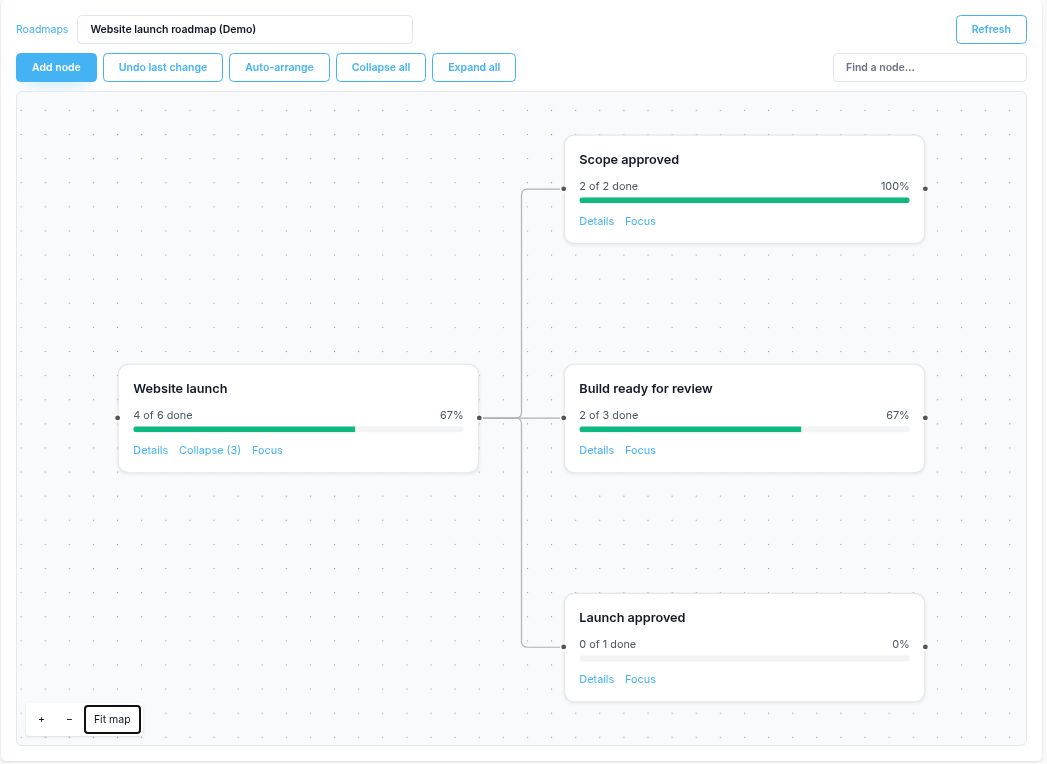
  • Milestones and tasks in one plan — Section 2 is your project management board, already up to date
  • Burn numbers from tracked time — Hours used vs estimated per task and project, computed continuously
  • Client-facing status without email — The client portal shows progress, time, and invoices between reports
  • One record from deal to invoice — The scope and budget the report tracks against came in with the won deal

No credit card required

Status reporting is one handoff in a larger chain.See where it sits in the full lead to invoice workflow →

Frequently Asked Questions

What should a project status report include?

Six sections: overall project health as a RAG (red/amber/green) status for schedule, budget, and scope; a milestone table with target and actual dates; budget and hours burn versus plan; a risk register with owners and mitigations; decisions needed from stakeholders with deadlines; and the plan for the next period including any change to the end date.

What does RAG status mean in a project status report?

RAG stands for Red, Amber, Green — a traffic-light verdict on project health. Green means on plan. Amber means off plan with a known recovery path already in motion. Red means off plan and needing a stakeholder decision to recover. The discipline is in the definitions: amber is not "green with anxiety," and moving to red is a request for help, not an admission of failure.

How often should I send a project status report?

At every milestone, plus biweekly between milestones for projects longer than a month — and immediately whenever health changes color. Fast-moving projects can fold status into a weekly report instead. The wrong answer is "when there's news": the report's value is that it arrives on schedule even when the news is boring.

What's the difference between a project status report and a weekly status report?

A project status report is milestone-and-health focused: it answers "will this project land on plan?" with RAG status, a milestone table, a burn forecast, and a risk register, sent at milestones or on health changes. A weekly status report is cadence-focused: it answers "what happened this week and what do you need from me?" with done/planned/blocked lists, sent every week to the day-to-day contact. Larger projects often use both.

How do I report that a project is over budget or behind schedule?

Early, with numbers, and with a plan. State the variance ("63% of hours burned against 55% of work complete"), the cause, the forecast at completion, and the recovery path or the decision you need. Stakeholders forgive overruns they heard about at 60% burn far more easily than overruns they discovered on the final invoice — and the earlier report is what makes a scope or budget conversation possible at all.

Related Templates